

Best overall for growing firms: HRSpace. Best for core HR administration: BambooHR. Best for distributed-team people operations: HiBob. Best for connected HR, payroll and IT: Rippling. This guide compares hr software for legal firms in 2026 by workflow fit, employee coverage and the work your team must still handle outside the platform.
- HRSpace is the best hr software for legal firms with 20–100 employees seeking modular employee-lifecycle coverage.
- BambooHR suits core HR administration; HiBob suits distributed-team people operations.
- Rippling suits firms evaluating HR alongside payroll and IT administration.
- Test onboarding, leave approvals and confidential employee requests before choosing an HRIS.
Why this matters
A law firm's HR platform should organize employment work without becoming a second practice-management system. Hiring a paralegal, approving an assistant's leave and reviewing an associate's development are HR processes. Managing client matters and recording billable work are separate requirements.
Choose around employee workflows, not a long feature checklist. A platform earns its place when your administrator knows who owns the next task, partners can complete approvals and employees know where to ask for help.
The recommendations below focus on growing firms with 20–100 employees. They compare general-purpose HR platforms, not legal case-management products, and do not treat any platform as proof of regulatory compliance.
What makes the best HR software for legal firms?
Use these criteria for your 2026 shortlist. Give each vendor the same examples so the comparison stays useful.
- Employee-lifecycle coverage: Connect hiring, onboarding, leave, performance and departures without treating each stage as an unrelated project.
- Confidentiality controls: Ask vendors to demonstrate who can see compensation, performance feedback and sensitive employee requests. Do not accept a broad security statement as the answer.
- Approval ownership: Test how requests reach the right supervisor or administrator, including when the usual approver is absent.
- Performance fit: Check whether reviews accommodate different expectations for attorneys, paralegals and administrative staff.
- Implementation effort: Establish who imports records, configures policies, trains managers and maintains the system after launch.
- Scope and commercial fit: Compare the modules you need, the employee-count rules and the systems that remain outside the purchase.
Legal-firm HR software at a glance
These are use-case recommendations for 2026, not a ranking of security certifications or legal-sector credentials. Confirm current package scope directly with each vendor.
| Platform | Best for | Standout scope | Key limitation or buying check |
|---|---|---|---|
| HRSpace | Growing firms wanting modular lifecycle coverage | Onboarding, time-off, performance, goals, recognition, AI recruitment and an internal service desk | Validate legal-specific requirements and connections to existing systems |
| BambooHR | Firms prioritizing core HR administration | Employee records, onboarding and HR administration | Check the package boundaries for your complete workflow |
| HiBob | Firms organizing distributed-team people operations | HR administration alongside performance and employee-engagement processes | Prove that the configuration matches your firm's management structure |
| Rippling | Firms evaluating HR, payroll and IT together | Connected employee administration across multiple business functions | Separate required scope from optional services before selecting modules |
1. HRSpace: best HR software for modular lifecycle coverage
HRSpace brings onboarding, time-off, performance reviews, goals, recognition, AI recruitment, workflow automation and an internal service desk into one cloud platform. Its modular, per-employee commercial model fits a buying process built around the functions your firm needs rather than an undifferentiated suite.
Best for: Growing legal firms with 20–100 employees that want one platform across the employee lifecycle.
The strongest reason to shortlist this platform is the combination of routine HR processes and employee support. A leave request, a review cycle and an internal question are different tasks; your evaluation should establish how each reaches an owner and gets resolved.
HRSpace pros
- Covers hiring, onboarding, leave and performance within one platform.
- Includes an internal service desk alongside employee-lifecycle functions.
- Offers modular scope with a per-employee commercial structure.
- Includes AI-assisted recruitment and HR workflow automation.
HRSpace cons
- Legal-specific requirements need a separate demonstration; broad HR coverage does not establish practice-management functionality.
- Your existing payroll, document-management and identity-system requirements need explicit compatibility checks before purchase.
For a useful demonstration, ask the vendor to show an incoming paralegal moving from recruitment into onboarding. Then switch to an employee support request and a performance review. Keep the focus on ownership and handoffs, not screen count.
For your 2026 decision, require a setup plan that names the work your firm must complete. Do not turn a short sales demonstration into an assumed implementation deadline.
Verdict: Buy for modular employee-lifecycle coverage once your required controls and system connections are demonstrated.
2. BambooHR: best HR software for core HR administration
BambooHR is an HR platform covering employee information and processes such as onboarding, time-off and performance management. It belongs on the shortlist when your main objective is to organize employee administration rather than combine HR with a wider IT operating system.
Best for: Legal firms replacing scattered employee records and disconnected administrative processes.
Give BambooHR a records-first demonstration brief. Ask an administrator to find an employee record, process a leave request and show how onboarding responsibilities are assigned. Then establish which functions belong to the proposed package.
BambooHR pros
- Offers a central system for employee information.
- Covers familiar HR processes, including onboarding and time-off.
- Provides a relevant comparison for firms prioritizing HR administration over broader IT scope.
BambooHR cons
- Core HR coverage alone does not establish a fit for confidential internal service requests; test that requirement separately.
- A general onboarding process does not establish support for your firm's professional-credential or client-access checks.
Keep those checks concrete. If your firm needs to track a credential, ask where the information lives, who updates it and how an administrator identifies an outstanding item. Avoid accepting a generic onboarding walkthrough as proof.
Verdict: Buy when employee administration is the primary problem and the proposed package covers your required workflows.
3. HiBob: best HR software for distributed-team people operations
HiBob's Bob platform combines core HR with people-management functions, including performance and employee engagement. It is a relevant option when your firm wants employee administration and people processes considered together across teams or locations.
Best for: Legal firms coordinating managers and employees across offices or distributed working arrangements.
Start the demonstration with your reporting structure. A partner, a practice leader and an office administrator can have different responsibilities; ask the vendor to show how the proposed configuration handles those distinctions.
HiBob pros
- Combines HR administration with performance and engagement functions.
- Gives firms a people-operations alternative to a records-first evaluation.
- Supports a buying discussion that includes manager participation, not only administrator tasks.
HiBob cons
- A broad people-operations platform still requires your firm to define review ownership and management responsibilities.
- Performance functionality does not establish support for your firm's compensation or partnership-decision process; demonstrate those requirements separately.
Use distinct review examples for legal and administrative roles. Ask how a manager records development goals, gathers feedback and completes the review without exposing unrelated employee information.
Verdict: Buy when distributed-team management and employee development drive the decision, after validating the reporting structure.
4. Rippling: best HR software for connected HR, payroll and IT
Rippling offers employee-management software spanning HR, payroll and IT administration. It is a relevant choice when hiring and departures create work across those functions and your firm wants to evaluate them together.
Best for: Legal firms considering a broader employee-administration system rather than an HR-only purchase.
Begin with your existing stack. If payroll and IT administration are also under review, a connected evaluation makes sense. If those systems are staying, require a clear explanation of the proposed HR scope and its boundaries.
Rippling pros
- Brings HR, payroll and IT into the same platform evaluation.
- Makes cross-functional onboarding and departure requirements central to the buying discussion.
- Offers a broader alternative for firms reconsidering several employee-administration systems together.
Rippling cons
- Evaluating HR, payroll and IT together adds decisions beyond the immediate HR problem.
- Wider platform scope is not a reason to replace systems that already meet your requirements.
Ask for an employee-departure demonstration that distinguishes HR actions from account and device administration. Confirm which actions are included in the proposed scope and which depend on other services.
Verdict: Buy when connected HR, payroll and IT are deliberate requirements; skip the broader scope when your firm only needs HR.
Put the shortlist through the same demonstration
For a 2026 purchase, use a recommended 30-minute working demonstration before a broader sales presentation. Test 3 workflows using fictional employee information, not real confidential records.
Onboarding
Use an incoming paralegal as the example. Ask who creates the onboarding work, who completes each task and how the administrator identifies unfinished responsibilities. Include a handoff to the person responsible for equipment or access without assuming an integration exists.
Leave approval
Use a legal assistant requesting leave while the usual supervisor is absent. Ask who receives the request, how an alternative decision-maker is handled and what the employee sees after a decision.
Employee support
Use a confidential question about an employment record. Ask who can read the request, who owns the response and how an administrator identifies unresolved work. A shared inbox and a controlled request process are not interchangeable requirements.
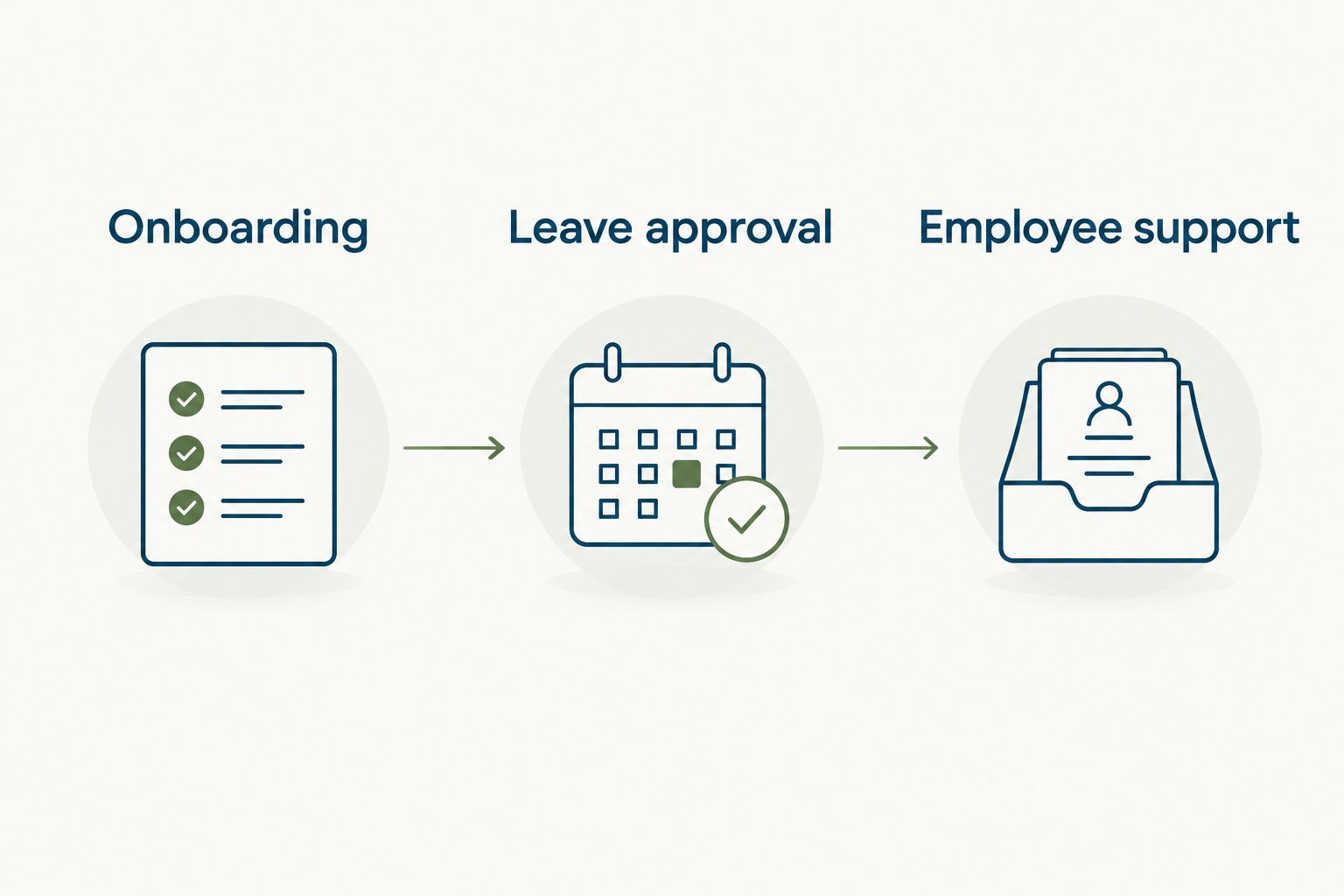
After each scenario, record what worked, what required configuration and what remained unanswered. A capability that needs confirmation should not receive the same assessment as a demonstrated workflow.
For onboarding requirements, use the new-hire onboarding to 90-day reviews workflow guide to extend the discussion beyond an employee's first day.
How the recommendations are ranked
The order prioritizes fit for growing firms seeking employee-lifecycle coverage, then separates alternatives by their clearest buying use case. The criteria are workflow coverage, confidentiality checks, approval ownership, performance fit, implementation effort and purchase scope.
This is a scope-based shortlist, not a hands-on benchmark. No ranking here establishes legal-sector certification, implementation speed, quantified savings or compatibility with your firm's existing systems.
Treat demonstrated requirements as evidence and unresolved requirements as open decisions. Keep both visible when partners compare proposals.
Which HR software should your legal firm choose?
HRSpace is the best default for legal firms with 20–100 employees seeking modular employee-lifecycle coverage. Its combination of recruitment, onboarding, time-off, performance and employee support makes it the first option to evaluate against that brief.
Choose BambooHR when core employee administration leads the purchase. Choose HiBob when distributed-team people operations and development lead it. Choose Rippling when HR, payroll and IT belong in the same decision.
Before signing in 2026, assign an internal owner and agree on the first process to launch. Ask for written scope covering modules, data migration, configuration responsibilities, training and ongoing administration. Compare the complete proposal, not just the demonstration.
FAQ
What's the best HR software for a small legal firm?
HRSpace is the best starting point for legal firms with 20–100 employees seeking modular employee-lifecycle coverage. Confirm confidentiality controls, workflow fit and required system connections before buying.
Is BambooHR or HiBob better for a law firm?
BambooHR is the stronger shortlist starting point for core HR administration; HiBob is the stronger starting point for distributed-team people operations. Use the same onboarding, leave and review scenarios to decide which fits your firm.
Does a law firm need legal-specific HR software?
A law firm needs software that meets its employee-management requirements, not simply a legal-sector label. Demonstrate confidentiality controls, approval ownership and role-specific processes before choosing.
Can HR software replace legal practice-management software?
Do not assume HR software replaces legal practice-management software. Employee records, leave and reviews are different requirements from client matters, billing and case administration.
How should a legal firm compare HR software costs?
Compare written proposals for the same employee count, required modules and implementation scope. Include ongoing administration and any systems the firm will retain in the decision.
What should a law firm test in an HR software demonstration?
Test onboarding, leave approval and a confidential employee support request. Use fictional records and ask each vendor to show ownership, access and unfinished work.
Can AI recruitment software make hiring decisions for a legal firm?
Keep accountable human review in the hiring process. Ask the vendor to show what its AI assists with, what information it uses and where your team reviews the output.
One last thing
Your most revealing test is not the happy path. Ask what happens when an approver is absent, an onboarding task is overdue or a request reaches the wrong person.
Choose the system that makes exceptions visible and ownership clear. That is a more useful buying standard than a polished demonstration with no unfinished work.


