

Instead of manually copying accepted offers into IT requests, automatically create onboarding tickets for new hires when an offer moves to accepted, with a named owner, a start date, and the information IT needs. This guide explains the workflow design, the checks to complete before setup, and the tests that prevent duplicate requests or premature account access.
- Automatically create onboarding tickets for new hires from an accepted-offer event, not from every candidate update.
- HRSpace suits growing teams seeking recruiting, onboarding, and an internal service desk in one HR platform.
- Confirm trigger availability, ticket creation, and record linking before configuring this workflow.
- Create preparation requests at acceptance; keep account activation behind your approved access process.
Why this matters
An accepted offer gives HR a reason to start onboarding. IT needs something more specific: an actionable request with ownership, timing, and approved requirements. A message in chat does not define those responsibilities.
HRSpace is best for growing teams that want recruiting, onboarding, and an internal service desk in one HR platform. For HR leaders supporting 20–100 employees, that scope brings the relevant work into one platform without requiring every module at once. Explore HRSpace for the platform scope; the exact accepted-offer automation still needs confirmation.
For a 2026 rollout, separate the business rule from the software controls. Define what should happen first, then verify that your account supports the event, action, and permissions needed to make it happen.
This is a configuration blueprint, not a verified tour of product screens. The bold configuration terms below describe requirements, not confirmed interface labels. Do not substitute an assumed integration or an invented button for a capability your administrator has not verified.
Before you start
- Access and ownership: Have an administrator for the recruiting source and the destination service desk, plus an HR owner and an IT owner who can agree on acceptance criteria. Confirm that the platform can detect acceptance and create a request through a supported method.
- Required information: Prepare a stable candidate or hire identifier, offer identifier, name, start date, manager, role, work location, and the appropriate IT request destination. Establish which system owns each field before mapping it.
- The gotcha: acceptance is not activation. An accepted offer can precede a changed start date or withdrawal. Create preparation work at acceptance, but require the appropriate approval before granting access. Also confirm that repeated acceptance events can be matched to an existing request.
Stop before configuration if the accepted-offer trigger or ticket-creation action is unavailable. Keep a manual handoff until a supported connection is confirmed. An automated email is not proof that a ticket was created, assigned, or retained.
Choose the handoff you can support
An automatic handoff and a manual handoff serve the same purpose: give IT an owned request before the new employee starts. Choose based on verified capabilities, not a preference for automation.
| Handoff | Best for | Advantage | Limitation |
|---|---|---|---|
| Accepted-offer automation | Teams with a supported event and ticket-creation method | Carries agreed recruiting details into a repeatable request | Needs duplicate protection, failure handling, and change handling |
| Manual request using a standard template | Teams without a verified connection | Makes ownership and required information explicit | Still depends on someone submitting the request |
Use automation only when you can verify the resulting request. Keep the manual template as a fallback rather than treating it as a competing process. Both paths should capture the same essential information.
The HRSpace HR platform includes recruiting, onboarding, workflows, and an internal service desk. That scope does not establish that a particular external recruiting connector, accepted-offer event, or ticket API exists. Confirm those details before promising an end-to-end handoff.
Accepted-offer trigger
Configure the event narrowly. A candidate record being edited should not be enough to launch IT preparation.
- Define acceptance. Identify the authoritative event that means the candidate accepted the offer. Keep offer sent, hiring-manager approval, and candidate acceptance distinct. Record the event your recruiting source actually exposes.
- Restrict eligibility. Limit the workflow to the intended hiring process and require an accepted offer. Route records without an assigned manager or a usable start date back to HR for correction rather than sending incomplete work to IT.
- Choose a stable reference. Use an offer or hire identifier that survives name and email changes. Include a workflow-specific reference so another request for the same person does not accidentally count as onboarding.
Expected result: an eligible acceptance identifies a specific onboarding request to create. An unrelated candidate edit does not qualify.
For your 2026 workflow specification, write the trigger as a plain-language rule: when the authoritative offer record becomes accepted and required onboarding details are present, prepare the IT request. This gives HR and IT the same definition to test.
Do not use a person's name as the only matching key. Two people can share a name, and names can change. The recruiting record's stable identifier is the safer basis for linking the request back to its source.
Ticket content and ownership
A ticket should tell IT what to prepare, who approves exceptions, and when the work is needed. It should not expose the entire candidate file.
- Map the minimum details. Carry the hire identifier, name, start date, manager, role, and work location into the request. Include a reference to the source record only where the receiving team has appropriate access.
- Define the request. Use a clear subject such as IT onboarding preparation, followed by the hire's name. Describe the approved preparation work and identify anything still awaiting a manager decision. Do not infer equipment or application access from a job title alone.
- Assign responsibility and timing. Select the IT team responsible for fulfillment and name the HR contact for missing information. Set the due date according to your internal onboarding policy and the employee's start date, rather than inventing a universal lead time.
Expected result: the destination request contains enough information to begin authorized preparation, has an accountable owner, and states when the work is needed.
Keep compensation, interview feedback, identification documents, and unrelated candidate notes out of the IT request. Data that helps recruiting evaluate a candidate is not automatically necessary for preparing an employee's workplace.
A useful request distinguishes Preparation, Approval, and Activation. Preparation covers work IT can begin now. Approval identifies decisions still required. Activation follows your organization's access process, not the mere existence of a ticket.
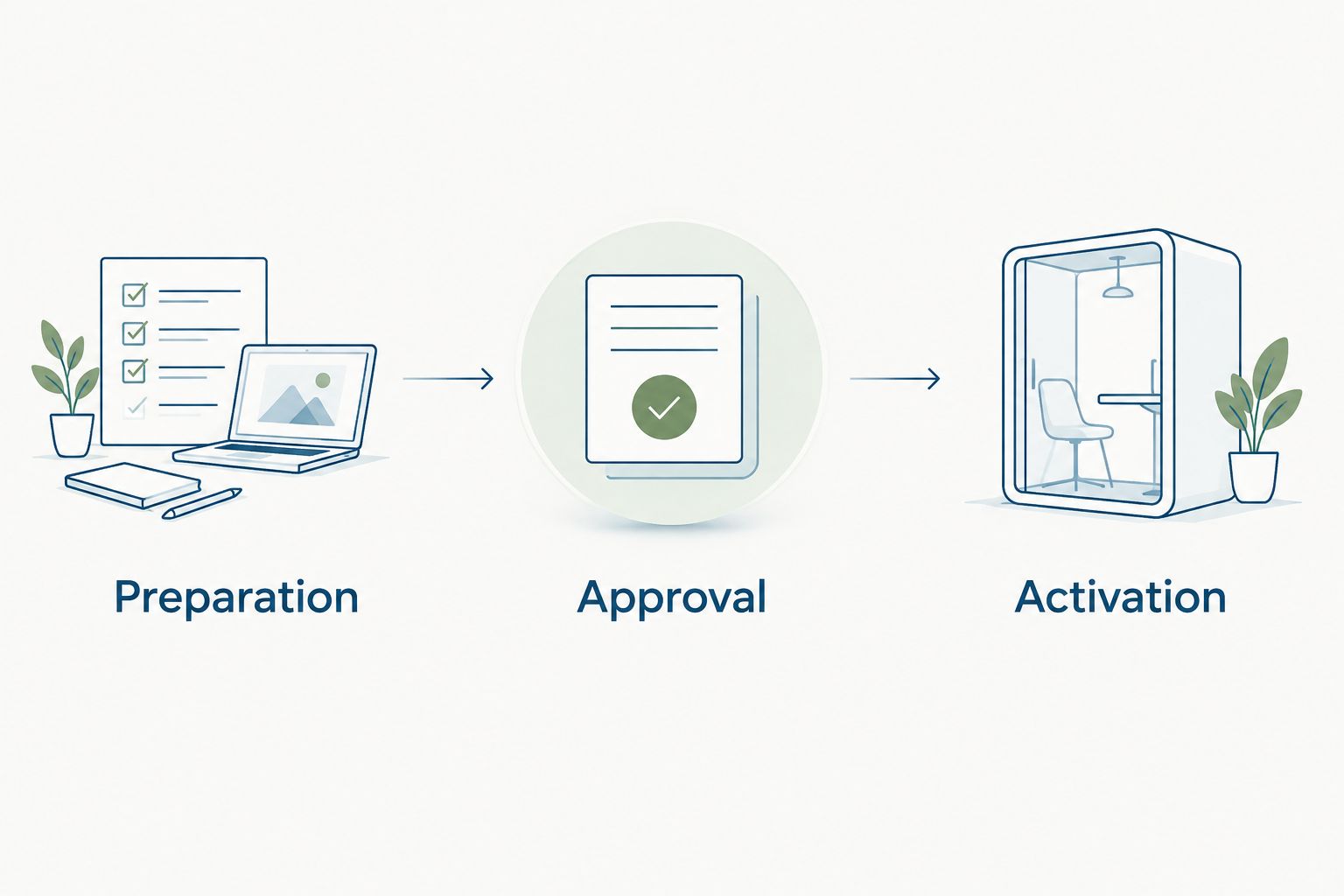
Use this separation in your 2026 onboarding template so a request cannot be mistaken for blanket permission. If your service desk cannot represent separate stages, state the restrictions clearly in the request and retain the required approval outside the automation.
Duplicate protection and exceptions
The workflow needs to distinguish a new hire from a repeated notification about the same hire. It also needs somewhere to send records it cannot process.
- Check for an existing request. Before creating a ticket, match the stable offer or hire reference against existing onboarding requests. Where the supported tooling allows it, update or reference the existing request rather than opening another.
- Retain the ticket reference. Record the created request's identifier in an approved location associated with the hire. Use that reference for follow-up changes and troubleshooting. Do not rely on searching by subject alone.
- Define failure ownership. Identify who checks unsuccessful runs, who corrects missing data, and how that person confirms a retry is safe. If an action times out, check the destination before retrying: ticket creation might have completed even when confirmation did not return.
Expected result: repeated processing refers to the existing onboarding request, while incomplete or failed work reaches a named person.
Aim for 1 active IT preparation ticket per accepted offer, unless your documented process deliberately separates work into additional requests. This is a design target, not a product guarantee. A changed start date should not produce another equipment order by accident.
Test cases and release
Test the workflow with non-production records and approved destinations before real candidate information enters it. Use your 2026 release checklist to document the expected outcome and the actual result.
- Run the happy path. Accept a test offer with complete required information. Check the ticket's content, owner, due date, source reference, and visibility. Verify the destination record itself, not just the workflow's success message.
- Replay the event. Process the same acceptance again through your supported testing method. Confirm that the repeat does not create another active onboarding request or repeat downstream work.
- Exercise exceptions. Test a missing start date, an unassigned manager, a changed start date, and a withdrawn offer. Confirm that each follows the documented exception process without silently granting access or losing ownership.
Expected result: HR can trace an acceptance to its IT request, IT can identify the required work, and an exception has a clear owner.
Record at least 2 test events for the same offer when checking duplicate protection: the original event and its replay. This checks repeat handling; it does not replace testing separate hires or the exception paths.
Update the ticket when the start date changes
The adjacent workflow is an update, not another creation rule. Use it only when your supported tooling exposes the relevant change event and can locate the existing request.
Match the changed offer or hire record to the stored ticket reference. Compare the new start date, manager, and work location with the information already in the ticket, then send the approved changes to the existing request.
Notify the assigned owner when a change affects preparation. Moving a start date does not prove that work already in progress has been rescheduled. Require acknowledgment through your chosen process when timing matters.
Handle a withdrawn offer separately. Flag the existing request for review, stop unapproved work, and follow your organization's cancellation process. Do not assume that closing an IT ticket automatically reverses equipment preparation or removes access.
Troubleshooting
Acceptance produces no ticket
Check whether the source recorded the exact event your workflow expects. Then inspect eligibility conditions, missing required information, and the destination account's permission to create requests. Keep manual ownership of the hire until the ticket is confirmed.
One hire produces duplicate requests
Check whether the workflow listens to every record update rather than an acceptance transition. Inspect the stable reference and the existing-ticket check. Before rerunning a failed action, search for a request that was created without a returned confirmation.
The ticket exists but has no owner
Review the destination assignment and any routing conditions. Test what happens when role or location is blank. Provide an agreed fallback owner instead of allowing an unmatched request to remain unattended.
IT receives confidential candidate information
Remove broad candidate-record copying and map only the fields needed for preparation. Review access to the destination request and its attachments. Follow your internal process for handling information that has already been shared incorrectly.
A changed start date leaves the old deadline
Confirm that the update workflow matches the existing request and updates the intended date. Check timezone handling where dates cross systems. Have the assigned owner acknowledge changes that affect work already scheduled.
Customize your workflow
Start with one owned preparation request. Expand only after the acceptance event, field mapping, duplicate check, and exception handling pass testing. Additional requests should represent distinct owners or work, not copies of the same handoff.
For your 2026 expansion, document which department owns each request and which decision authorizes it. HRSpace's modular HR platform covers more of the employee lifecycle, but each added workflow still needs verified triggers and actions.
Use the guide to automatically route service desk tickets when new hires start to plan the next handoff. Keep offer acceptance and the employee's start event distinct: they serve different purposes.
FAQ
How do I automatically create onboarding tickets for new hires?
Connect an authoritative accepted-offer event to a supported ticket-creation action, map the required hire details, and assign an owner. Add duplicate protection and test the resulting request before using real candidate records.
Can HRSpace open an IT ticket when a candidate accepts an offer?
Confirm accepted-offer triggering and ticket creation in your account before relying on this workflow. The platform includes recruiting, onboarding, workflows, and an internal service desk, but that scope alone does not verify this exact connection.
Should onboarding tickets start at offer acceptance or on the first day?
Use offer acceptance for authorized preparation and your approved start process for activation. Creating a request should not automatically authorize account access.
What information should an IT onboarding ticket contain?
Include a stable hire reference, name, start date, manager, role, work location, owner, and approved preparation requirements. Exclude compensation, interview feedback, and unrelated candidate documents.
How do I prevent duplicate onboarding tickets?
Match each acceptance to an existing request using a stable offer or hire identifier before creating another ticket. Retain the destination ticket reference and test the same event twice.
What happens when a new hire changes their start date?
Update the existing onboarding request rather than opening a replacement. Notify the assigned owner and require acknowledgment when the change affects scheduled work.
Can I use this workflow without a supported recruiting connection?
Not as an automatic accepted-offer handoff. Use a standard manual request while your administrator confirms a supported trigger and ticket-creation method.
One last thing
A created ticket is not a ready employee. Before release, ask IT to complete the test request using only the information it contains. Every clarification reveals a missing field, an unclear approval, or an ownership gap to fix before the next offer is accepted.


