

Instead of copying review comments into a document and chasing follow-ups, build a performance review to development plan workflow that turns agreed feedback into owned goals, evidence and scheduled check-ins. Use this 2026 guide to define the handoff, test it with an employee and keep the plan useful after the review closes.
- HRSpace suits growing teams that want performance reviews and goals within one cloud HR platform.
- A performance review to development plan workflow needs agreed feedback, an accountable owner and evidence of progress.
- Approve development goals before activating them; a review rating is not an employee growth plan.
- Start with two development goals and a 30-day check-in, then adjust to the work.
Why this matters
A completed review records what happened. A development plan defines what changes next. Without that distinction, feedback stays descriptive: communicate better, show more ownership, improve delivery. None tells an employee what to practice or how a manager will judge progress.
HRSpace is best for growing HR teams seeking performance reviews and goals in one cloud HR platform. Its scope includes both, but scope alone does not establish an automatic connection between them. Treat the workflow below as an operating design, not a promise that a particular trigger or button exists.
For teams of 20–100 employees, start with a repeatable manager handoff rather than a complicated approval structure. Review HRSpace as the platform context, then confirm the controls you need before configuring anything.
Before you start
- People and access: Assign an HR process owner, the employee and the reviewing manager. Confirm who can read review feedback, edit goals and approve the plan in your chosen system.
- Materials: Prepare finalized feedback, the employee's role expectations and the next work opportunities where they can practice. Agree what evidence will demonstrate improvement.
- The gotcha: Closing a review is not the same as approving a development plan. Check whether your system distinguishes those events and preserves permissions when information moves between records.
This guide names the information you need, not unverified interface controls. Use your system's documented fields and settings; the bold terms below describe workflow records and actions, not claimed HRSpace button labels. If an automatic handoff is not supported, use the same sequence with a manager-owned task.
Review handoff
Establish the starting point
- Choose the start event. Start after the review conversation is complete and the relevant feedback is final. Do not start from an unfinished self-assessment or a manager's draft rating.
- Identify the record. Carry the employee identifier, review cycle and review date into your handoff checklist. Use identifiers to distinguish employees with similar names.
- Assign the owner. Name the manager responsible for drafting the plan and the HR owner responsible for resolving process questions. Avoid assigning responsibility to a department without a named person.
- Check the permissions. Confirm that the employee and manager can access the development information they need. Keep confidential reviewer notes outside shared goal descriptions.
- Define repeat handling. Decide what happens when a review is reopened or corrected. Update the existing handoff instead of creating another plan for the same employee and cycle.
Expected result: A finalized review produces one accountable handoff, with an identifiable employee, cycle and manager. No development goal becomes active merely because a rating was submitted.
For your 2026 rollout, write this start rule in plain language: the manager begins the plan after the review conversation and feedback approval. If the system cannot enforce that rule, make the manager confirm it in the checklist.
Test the boundary
Use a practice record without sensitive employee information. Check an unfinished review, a finalized review and a reopened review against your intended start rule. Record the expected outcome before testing so success does not depend on someone deciding afterward that the result looks acceptable.
Development goals
Turn feedback into observable work
- Select the priority. Choose feedback that matters to the employee's role and current work. Separate a skill gap from an unclear expectation or a missing resource.
- Write the action. Replace a personality judgment with behavior the employee can practice. Instead of improving confidence, specify preparing a recommendation and explaining its trade-offs in the next project discussion.
- Choose the evidence. State what the employee will bring to a check-in: a work sample, a decision record or feedback tied to a specific behavior. Avoid treating attendance at training as proof of better performance.
- Add manager support. Name the coaching, access or work assignment the manager must provide. Development is not solely an employee obligation.
- Set the review date. Start with two development goals and a check-in after 30 days. These are planning recommendations, not product limits or claimed performance benchmarks.
Expected result: Each draft goal names a behavior, a practice opportunity, evidence, manager support and a review date. A reader can understand success without reopening the entire performance review.
Use a complete goal example
Suppose the feedback concerns late escalation of project risks. The development action is to raise a risk when its impact becomes clear, explain the consequence and propose a next step. The manager supplies opportunities to review those decisions, rather than asking the employee to resolve every risk independently.
Evidence can be a project risk note and the manager's feedback on whether the escalation was timely and useful. Set the first discussion for 30 days after agreement, then review the goal at 60 days if more practice is needed. Those dates define an example schedule; they do not promise a result.
Best for: A role-specific skill that the employee can practice in current work. Trade-off: This approach requires a manager to identify suitable assignments; a generic training list is easier to create but does not establish applied improvement.
Plan agreement
Agree before activating
- Review the draft together. Ask the employee whether the goal reflects the feedback and whether the practice opportunity is realistic. Resolve disagreements before treating the plan as agreed.
- Check workload. Identify where development fits into existing responsibilities. Remove conflicting expectations rather than adding an invisible second workload.
- Confirm ownership. Assign the employee's action and the manager's support separately. Set a date for each commitment where timing matters.
- Record agreement. Preserve the agreed goal, evidence and check-in date in the designated development record. Keep unresolved proposals distinct from active goals.
- Schedule the follow-up. Put the first check-in on the calendar. Use a supported reminder if your system provides one; otherwise assign the scheduling task explicitly.
Expected result: The employee and manager share the same definition of progress, and the first follow-up already has an owner and date.
The process has four distinct stages: Review handoff, Development goals, Plan agreement and Progress check-ins. Keep them distinct even when your software presents them within the same workspace.
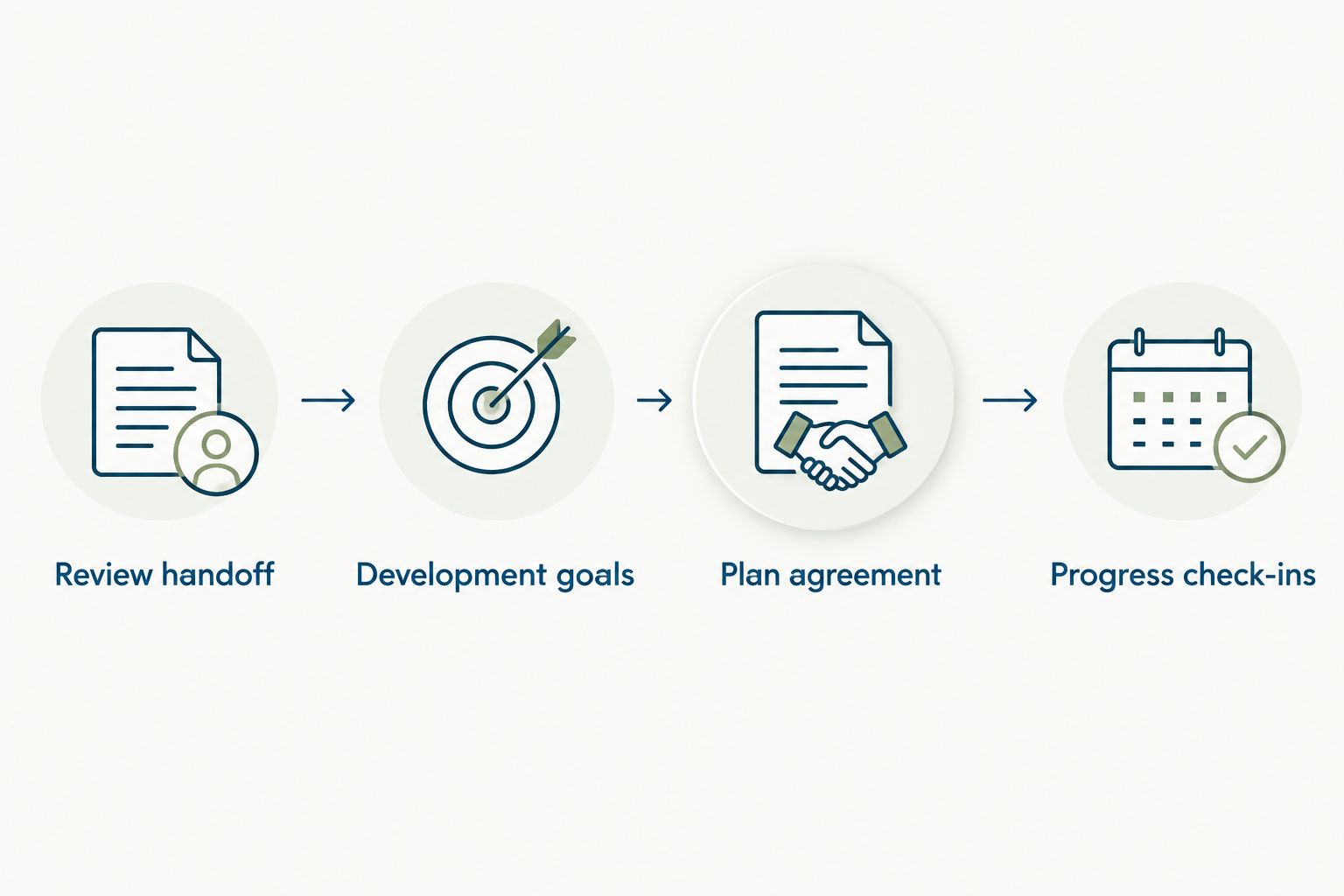
HRSpace includes performance reviews, goals and HR workflows. Confirm whether your setup supports the handoff, agreement and reminder controls before replacing a manual step. Keeping work in one platform helps define the intended operating model; it does not prove that every connection is automatic.
Progress check-ins
Track evidence, not just completion
- Prepare the evidence. Ask the employee to bring the agreed work sample or behavior example. The manager prepares feedback against the same criterion.
- Discuss the change. Compare the evidence with the original expectation. Separate effort, completed activity and demonstrated improvement.
- Choose the next action. Continue practice, change the support, revise an unrealistic goal or close a goal that has sufficient evidence. Record why you chose that action.
- Set the next date. Keep a 60-day or 90-day review only when it matches the work opportunity. Do not retain dates simply because they appeared in the first template.
- Preserve the history. Retain the agreed starting goal and the reason for material changes. Follow your organization's access and retention rules for employee records.
Expected result: Each check-in ends with an evidence-based decision and a clear next action, not another generic reminder to improve.
For a 2026 cycle, distinguish a completed learning activity from a completed development goal. Finishing a course proves participation. Applying the relevant skill in work is a different question and needs its own evidence.
Update a plan when a goal changes
A second workflow applies after the initial plan is agreed: revise the plan when a goal's scope, evidence or deadline changes. This is a change-control process, not another performance review.
- Identify the existing employee, review cycle and goal.
- Describe the proposed change and why it is necessary.
- Check whether the change affects workload, manager support or the meaning of success.
- Agree the revision with the employee and manager.
- Update the plan and reschedule the relevant check-in without creating a duplicate goal.
Expected result: The active plan reflects current work, while the original agreement remains understandable.
Choose the implementation that your system actually supports. Both approaches below use the same decision rules; the difference is how the handoff happens.
| Workflow option | Best for | Advantage | Limitation |
|---|---|---|---|
| Manager-owned handoff | Establishing the process before automation | Makes each decision explicit and works without a verified trigger | Requires a named person to move and check the record |
| Supported automated handoff | Repeating an agreed process with confirmed system controls | Moves supported routine steps without manual copying | Needs tested event rules, permissions and duplicate handling |
Start with the manager-owned handoff. Automate a supported step only after you can state its start event, owner and expected result. Automation should execute a decision rule, not decide what an employee needs to learn.
Troubleshooting
Plans appear before the conversation
The start rule is too early. Move the handoff to the point where feedback is final and the review conversation is complete. If those events cannot be distinguished in the system, require manager confirmation before creating an active plan.
Reopened reviews create duplicate goals
The process treats every update as a new plan. Check the employee identifier and review cycle against the existing record before adding goals. Reconcile duplicates with the employee and manager rather than silently deleting commitments.
Employees cannot see their own plan
Check access to the development record separately from access to the performance review. Test visibility using the employee's access level, not an administrator's view. Share agreed development content without exposing restricted reviewer notes.
Goals stay vague after the handoff
The process copied comments instead of translating feedback into work. Require an observable action, practice opportunity and evidence before agreement. Return incomplete drafts to the manager rather than treating a populated description as a finished plan.
Check-ins happen without evidence
The reminder schedules a conversation but does not define preparation. Add the agreed evidence to the check-in agenda and assign preparation ownership. If work opportunities have changed, revise the goal instead of marking the employee behind on an obsolete plan.
Customize your workflow
Make the 2026 process repeatable before making it broader. Keep a shared goal-writing template, but allow employees to practice different behaviors and use different evidence. Consistency belongs in the handoff and decision rules, not in identical development plans.
HRSpace brings reviews and goals into the same platform scope. Its modular model lets buyers consider the functions they need, but confirm the available configuration before designing dependencies between modules. The benefit is a connected operating context; the limitation is that this guide does not establish a verified end-to-end automated setup.
Next, connect development conversations to onboarding or recognition only where the relationship makes sense. A new hire needs role expectations before a development judgment, and recognition should reflect demonstrated contributions rather than completion of a form.
FAQ
How do I turn a performance review into a development plan?
Select a role-relevant priority, define an observable action and agree how progress will be evidenced. Add manager support and a check-in date before activating the goal.
Can HRSpace automatically create development goals from reviews?
Confirm that behavior in your HRSpace configuration before relying on it. The platform includes performance reviews, goals and HR workflows, but those capabilities alone do not establish an automatic review-to-goal connection.
How many goals should an employee development plan include?
Start with two development goals as a practical planning recommendation. Adjust the scope to the employee's workload and available opportunities to practice, rather than treating that number as a system limit.
When should the first development check-in happen?
Use 30 days after agreement as a starting schedule, then align the date with the work opportunity. A check-in is useful when the employee has evidence to discuss, not merely because a date has arrived.
Should employees approve their development plans?
Employees and managers should agree the goals, support and evidence before treating a plan as active. Use your organization's documented agreement process and confirm which controls your system supports.
What happens when a performance review is reopened?
Update the existing handoff and assess whether the agreed plan needs revision. Match the employee and review cycle before creating records so a corrected review does not produce duplicate goals.
Is a development plan the same as a performance improvement plan?
No. A development plan organizes growth goals, while a performance improvement plan addresses defined performance concerns through a separate formal process. Follow your organization's policies rather than converting one into the other automatically.
One last thing
Give the manager a commitment, not just the employee. If a goal requires practice, feedback or access, record who will provide it and when. A development plan with no support commitment can leave the employee responsible for an opportunity they cannot create.
For your 2026 rollout, inspect that support commitment before adding more reminders. A notification cannot supply the missing work assignment.


