

Schools’ cloud-based HR software is an online system for managing staff processes with the aim of keeping hiring, onboarding, leave, and employee support organized. This guide explains how to choose cloud based HR software for schools in 2026 without confusing employee administration with student records, classroom coverage, or specialist district requirements.
- Choose cloud based HR software for schools around staff workflows, not a long feature list.
- HRSpace suits school HR teams seeking onboarding, time-off, reviews, and employee support in one modular platform.
- Test school calendars, approval ownership, staff access, and data exports before committing.
- Keep student records separate from employee HR processes; verify any connection you need.
Why cloud HR matters for schools
A school’s HR process must fit the way its staff work. Teachers, administrators, support staff, and temporary employees need clear instructions about where to submit requests and who makes decisions. Your selection should account for those differences rather than treating every employee as an identical record.
For a school with 20–100 employees, start with the handoffs: a hire becomes an employee, an absence needs approval, and a staff question needs an owner. Software should make those handoffs visible. A completed form is not the same as a completed process.
Use the guide to HR software for schools and educational institutions to frame your shortlist, then test each option against your own procedures.
Choose a staff operations platform, not a substitute for every school system. Your 2026 requirements should distinguish employee administration from student information, substitute placement, payroll, and instructional supervision. Ask vendors to demonstrate any connection between those responsibilities rather than assuming it exists.
Build your school HR shortlist
Map your staff workflows
Start with a shared document or spreadsheet. List what happens when someone joins, requests leave, changes role, completes a review, or leaves the school. Give each process an owner and a clear finish line before considering automation.
Describe actual handoffs, not department names. For example, onboarding is not finished when HR sends an email; define which administrative tasks must be completed before you consider the employee ready. Keep student-related activities outside this exercise unless they create a specific staff administration requirement.
Use the same process map in every vendor demonstration. That prevents a polished presentation from replacing your requirements and exposes tasks that would remain outside the proposed system.
- List each staff group and its administrative needs.
- Record who starts, approves, and completes each process.
- Identify where information is entered more than once.
- Define what counts as completion.
- Mark exceptions that need a person’s decision.
Separate essential requirements from extras
Create a requirements sheet before booking demonstrations. Use plain labels: essential, useful, and outside scope. An essential requirement blocks adoption if the vendor cannot meet it; a useful feature does not.
For your 2026 shortlist, separate employee time-off administration from classroom coverage. Recording an approved absence and arranging a substitute are different jobs. Likewise, a performance review workflow is not automatically a teacher observation framework or a contract evaluation process.
Set acceptance criteria for each essential requirement. Instead of writing that approval workflows are needed, describe who approves a request, what happens when that person is absent, and what evidence the administrator must see. Ask for a demonstration using that exact sequence.
- Specify staff categories and employment arrangements.
- Document the calendars and leave policies you need.
- Separate payroll requirements from HR administration.
- List required exports and existing-system connections.
- Identify any school-specific evaluation requirements.
Choose modules around a real bottleneck
Keep the manual process as your baseline. A shared onboarding checklist or request register lets you establish ownership without buying software first. Once the process is clear, use software to reduce repeated entry and make outstanding work easier to track.
HRSpace offers modular cloud HR software covering onboarding, time-off, performance reviews, goals, recognition, AI-assisted recruitment, workflows, and an internal service desk. Start your evaluation with the module that addresses the clearest bottleneck, then assess whether adjacent processes belong in the same platform.
HRSpace is best for school HR teams seeking onboarding, time-off, reviews, and staff support in one modular platform. That is an operational fit, not proof of specialist school functionality. Verify teacher credential tracking, substitute management, payroll connections, and any district-specific requirements separately.
- Select an initial workflow with a clear owner.
- Demonstrate that workflow before adding modules.
- Ask how employee categories affect the agreement.
- Confirm which capabilities require separate modules.
- Keep specialist school requirements on the acceptance sheet.
Test onboarding from offer to readiness
Begin with a manual checklist that distinguishes collecting information from completing an action. A new employee submitting a form does not prove that the right administrator has reviewed it or that the next task has an owner.
For a 2026 evaluation, use a fictional staff member and follow the process from an accepted offer to administrative readiness. Include a missing item and an approver who is unavailable. Ask the vendor to show what the employee, manager, and HR administrator each see.
HRSpace includes recruitment and onboarding capabilities. Evaluate those capabilities together if your goal is to connect hiring with employee administration, but require a demonstration of the handoff rather than assuming how records move. Keep a person responsible for reviewing recruitment recommendations and making hiring decisions.
- Create a checklist for each relevant staff category.
- Assign responsibility for reviewing submitted information.
- Test incomplete and corrected submissions.
- Check how an administrator identifies outstanding work.
- Confirm who decides that onboarding is complete.
Keep leave approval separate from coverage
Write down the approval policy before configuring a time-off system. Identify who decides whether an absence is approved and who arranges operational coverage. Those responsibilities need coordination, but they are not interchangeable.
Use a spreadsheet to test your rules first. Include term dates, employee schedules, and exceptions relevant to your school. Then ask the vendor to reproduce those cases. Do not assume that a general HR calendar understands school closures or different working patterns.
HRSpace includes time-off management. Assess whether its available settings match your rules, and verify any required handoff to payroll or another system. An approved absence should not be treated as proof that a classroom, reception desk, or other staffed responsibility has coverage.
- Identify the leave approver for each staff group.
- Document how closures affect leave calculations.
- Test different working patterns and exceptions.
- Assign a separate owner for coverage arrangements.
- Verify how approved changes reach downstream administrators.
Give staff requests a named owner
Start with a simple request register: request type, assigned owner, next action, and status. This manual approach helps you decide which questions need a tracked process rather than another message in a chat thread.
An internal service desk provides a more structured option. HRSpace’s service desk includes routing rules, SLA targets, and approval chains. Routing rules direct a request to its owner; an SLA target defines the response or resolution expectation; an approval chain identifies who must decide before work proceeds.
For school use, separate routine questions from sensitive employee matters. Ask the vendor to demonstrate who can open, view, reassign, and close each request type. Do not assume that department membership alone provides the access boundaries your school needs.
- Define request categories in language staff recognize.
- Assign an owner and a backup for each category.
- Distinguish response expectations from completion expectations.
- Test access to sensitive requests.
- Require a clear completion status and next action.
Pilot the process before expanding
Run a controlled pilot rather than moving every workflow at once. Keep the existing process available until you have checked the results, assigned ongoing ownership, and explained the new process to participating staff.
For a practical test, prepare 10 fictional employee records and 5 test cases covering onboarding, leave, a staff request, a review, and a departure. These are suggested pilot inputs, not performance benchmarks. Include deliberate exceptions so the demonstration tests more than the easiest path.
Use a proposed 2-week pilot to record corrections, unclear responsibilities, and work completed outside the system. For your 2026 rollout decision, evaluate what actually worked. If a core requirement fails, resolve it before widening access or moving additional records.
- Define acceptance criteria before the pilot starts.
- Use fictional data for initial demonstrations.
- Test exceptions as well as routine tasks.
- Check exports and the steps for correcting records.
- Assign an administrator and a backup before launch.
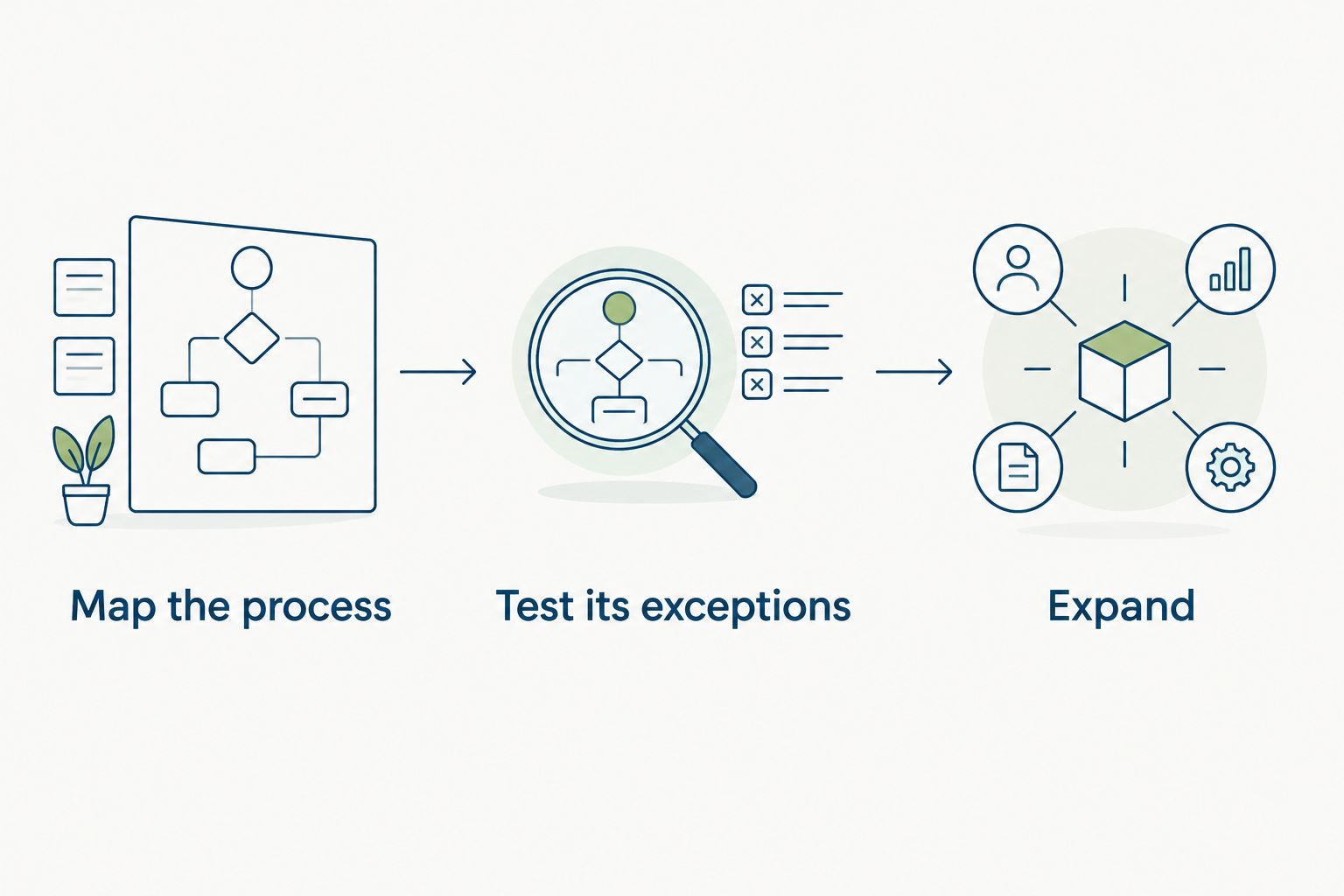
The rollout sequence is simple: map the process, test its exceptions, and expand only after acceptance. Keep that order even when a vendor makes configuration look easy.
Compare approaches, not feature totals
The right comparison is between ways of running your school’s HR processes. A manual system, a general HR platform, and an education-focused suite each need a different acceptance test. None removes the need for clear policies and accountable administrators.
| Option | Best for | Main advantage | Key limitation or check |
|---|---|---|---|
| Shared documents and spreadsheets | Defining processes before a software decision | Let you document ownership and exceptions directly | Administrators must maintain records and follow up manually |
| HRSpace cloud HR software | Bringing employee lifecycle processes into one modular platform | Covers onboarding, leave, reviews, recruitment, recognition, and staff support | Verify specialist school workflows and required system connections |
| Education-focused HR suite | Schools with essential education-specific requirements | Provides a shortlist centered on school operations | Require proof of each specialist capability; the category label is not evidence |
| Separate tools by function | Keeping a satisfactory existing process while replacing one weak area | Lets you evaluate a narrow change | Requires clear responsibility for data transfers and cross-tool handoffs |
Choose the smallest scope that passes your essential requirements. Adding modules does not fix an unclear approval policy. Equally, keeping separate tools only works when someone owns the connections between them.
Evaluate HRSpace’s modular, per-employee model against the staff categories you actually administer. Ask how seasonal staff, inactive records, and other relevant categories are treated in the agreement. Do not assume that every vendor defines an employee the same way.
Common mistakes schools make
Treating student and employee records as one project
Start with the staff process you need to improve. Expanding an HR selection into a student information replacement changes the requirements and the people who must approve the decision. Keep the projects distinct unless you have documented a specific connection.
Approving leave without assigning coverage
A leave decision answers whether an employee can be absent. Coverage planning answers who performs the work. Name both owners and define the handoff; do not leave the second decision hidden inside an approval notification.
Using one review template for every role
A teacher, an office administrator, and a facilities employee have different responsibilities. Define role-appropriate review criteria before evaluating review software. Verify any required teacher observation or contractual evaluation process rather than treating a general review form as equivalent.
Moving every historical file immediately
Decide what belongs in the new system before importing it. Confirm retention requirements and access responsibilities with the appropriate advisers. A migration is not permission to delete records or to give more people access to sensitive information.
Buying automation before agreeing on policy
A workflow needs a decision rule, an owner, and an exception path. If administrators disagree about those basics, configuration simply moves the disagreement into software. Settle the process first, then test whether the platform can represent it.
FAQ
What is cloud based HR software for schools?
Cloud based HR software for schools is an online system for managing employee processes such as onboarding, leave, reviews, and staff requests. It does not automatically replace student information, payroll, or classroom coverage systems.
What is the best way for a small school to choose HR software?
Choose HR software by testing your essential staff workflows against written acceptance criteria. Include an incomplete onboarding task, a leave exception, and a sensitive staff request rather than relying only on a standard demonstration.
Is HRSpace suitable for school HR teams?
HRSpace fits an evaluation focused on onboarding, time-off, performance reviews, goals, recognition, recruitment, and employee support. Verify school-specific requirements, including credential tracking and substitute management, before deciding.
Can school HR software arrange substitute teachers?
Do not assume that time-off management includes substitute placement. Ask the vendor to demonstrate the coverage process or define the handoff to the person or system responsible for substitutes.
Can a school keep its existing payroll system?
Keeping an existing payroll system requires a workable way to transfer the necessary employee and leave information. Confirm the required connection or export with both providers; do not assume compatibility.
How should schools test employee data access?
Schools should test access using separate employee, manager, and administrator roles. Check who can view, change, export, and reassign sensitive information, and require proof of any access boundary you need.
Should a school automate recruiting decisions?
Keep a person responsible for reviewing recommendations and making hiring decisions. HRSpace includes AI-assisted recruitment, but assistance does not establish that a candidate meets your school's requirements.
One last thing
Test a correction, not just a successful submission. Enter a fictional leave request under the wrong staff category, then ask the vendor to show how the administrator fixes it and checks the result.
Your 2026 decision should account for recovery as well as routine processing. A useful demonstration shows how you correct mistakes without losing ownership of the work. That is a stronger selection test than watching a clean example reach its final screen.


