

Yes, HR software can run without an IT team when you choose a vendor-hosted cloud platform and assign a named HR or operations administrator. You still need someone to manage access, maintain employee records, and own approval rules; custom integrations and technical problems need a separate support route. The practical test is whether your team can operate the workflows itself, not whether the software promises to eliminate administration.
- Can HR software run without an IT team? Yes: use vendor-hosted software, name an administrator, and define support responsibilities.
- HRSpace suits growing teams seeking modular cloud HR software across onboarding, time-off, performance, recruitment, and employee support.
- Cloud hosting removes server administration from your office; it does not remove responsibility for employee data and access.
- Test everyday HR workflows before committing, and get technical support responsibilities in writing.
Why this matters
For a company with 20–100 employees, buying HR software should not create an unassigned technical job. Your HR lead needs to approve leave, onboard employees, and organize reviews—not maintain a server.
But easy hosting and easy operation are different things. A cloud application can still require difficult configuration, messy imports, or technical work to connect other systems. Choose software around the work your team can actually own.
Use HR software ranked by ease of setup as a companion when building your 2026 shortlist. During demonstrations, ask vendors to show the administrator's work as well as the employee experience.
Can HR software run without an IT team?
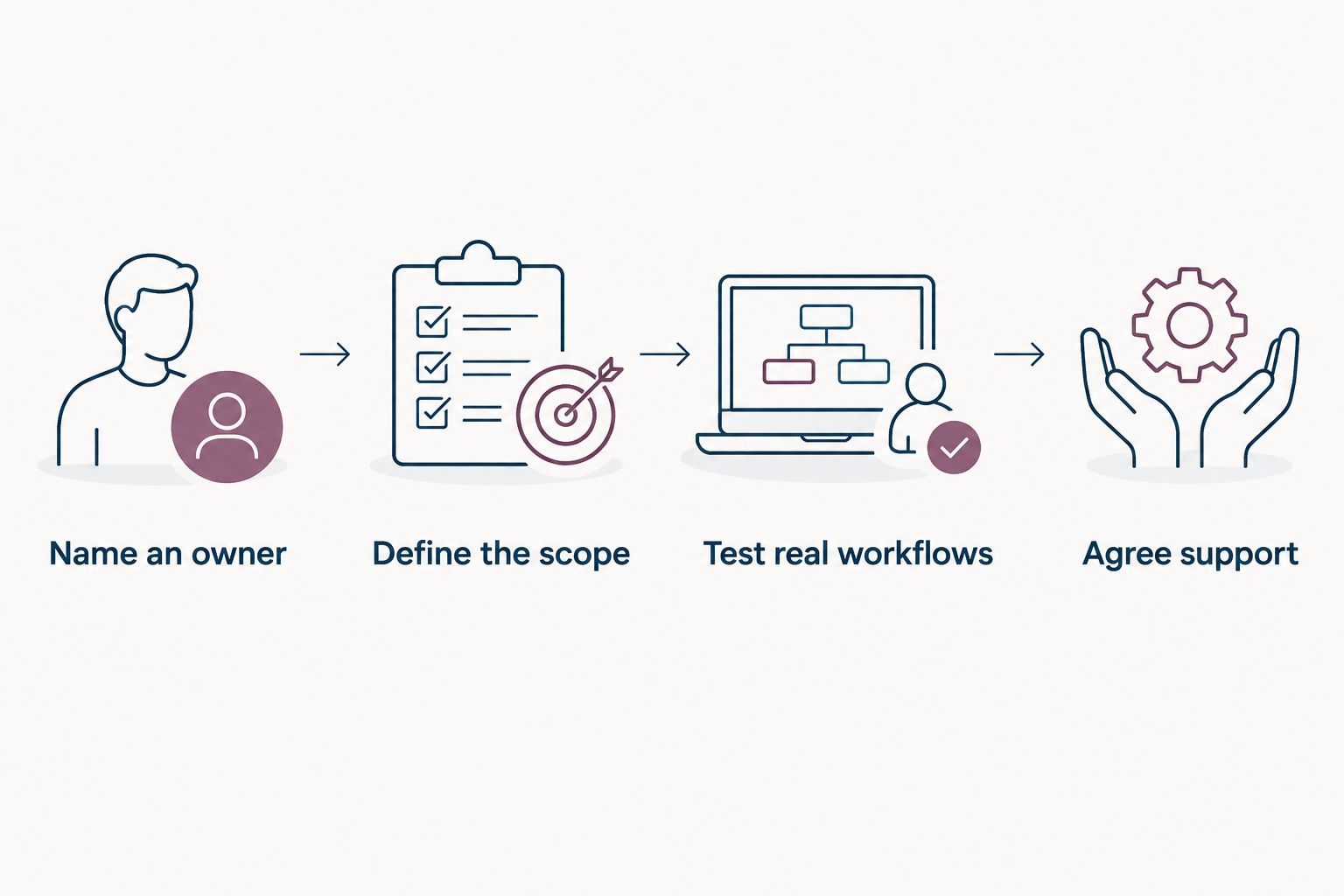
Yes. The workable model is vendor-managed hosting, business-owned configuration, and a clear escalation route for technical issues. Follow these steps to establish that model before launch.
- Name an owner. Give an HR or operations leader responsibility for employee records, workflow settings, and access decisions. Name a backup who can cover absence and departure. Without an owner, even simple changes become requests that nobody handles.
- Define the starting scope. List the workflows you need first: onboarding, time-off, performance reviews, or employee requests. Separate essential work from later additions. A focused launch lets you test ownership without changing every HR process at once.
- Confirm the hosting boundary. Ask who manages application updates, infrastructure, and technical incidents. Request a written explanation of what the vendor supports and what remains your responsibility. Do not treat the word cloud as a complete support agreement.
- Configure business rules. Document who approves requests, who sees sensitive information, and who handles exceptions. Ask your intended administrator to make a routine change during the demonstration. Watching a salesperson do it does not prove your team can do it.
- Test real workflows. Use fictional employee records to test a new hire, a leave request, a manager change, and a departure. Check both the normal path and the exception path. Record unresolved issues before employees depend on the system.
- Agree the support route. Establish where your administrator sends technical questions and who handles connected systems. Include access problems, failed imports, and interrupted workflows. Keep the instructions somewhere accessible outside the application itself.
These steps separate operational ownership from technical maintenance. HR can own the rules without owning the infrastructure. That distinction makes running software without a dedicated IT department practical.
The launch decision should follow the test results. If your administrator cannot correct a manager assignment or explain an approval path, resolve that gap before expanding the rollout. More modules do not fix unclear ownership.
Choose the right operating model
For your 2026 evaluation, compare where technical responsibility sits—not just which features appear on a checklist. These operating models have different demands on your team.
| Operating model | Best for | Main advantage | Main limitation |
|---|---|---|---|
| Vendor-hosted cloud software | Teams avoiding internal server administration | The vendor operates the hosted application infrastructure | Your team still owns configuration, access decisions, and data quality |
| Self-hosted software | Organizations with assigned technical support and hosting requirements | Your organization controls its hosting environment | Someone must own maintenance, updates, and recovery arrangements |
| Cloud software with custom connections | Teams with a documented need to connect business systems | Connections can support work across systems | Setup and troubleshooting require clearly assigned technical responsibility |
Vendor-hosted cloud software is the starting point for teams without internal IT. It moves hosting outside your organization, but the contract still needs to define the service boundary.
Self-hosting is not automatically wrong. It is wrong for your situation when nobody owns the technical work. An external specialist can fill that role, but then your operating plan must include that relationship rather than assume HR will handle everything.
Custom connections deserve their own decision. Keep a connection only when you can explain the business need, the failure risk, and who fixes it.
Why the need for IT support varies
The need for technical help depends on scope and operating choices. Employee count alone does not describe the work. A company with 20 employees still needs clear access rules; a company with 100 employees still needs a named administrator.
- Hosting model. Vendor-hosted and self-hosted applications put infrastructure responsibility in different places. Confirm the arrangement before comparing ease of use.
- Workflow scope. Onboarding, leave, reviews, recruitment, and employee support involve different owners and exceptions. Define the rules for each workflow you activate.
- Data readiness. Inconsistent names, duplicate records, and unclear manager assignments require cleanup before import. Assign someone who can resolve those business questions.
- Access requirements. Decide who can see employee information and who can change settings. Test the actual roles rather than relying on a feature label.
- Connections to other systems. A payroll or identity connection creates an additional support boundary. Document the owner on each side and the process for investigating failures.
- Support responsibilities. Establish which tasks the vendor handles, which your administrator handles, and which need outside expertise. An unanswered support question is an unfinished purchasing decision.
These factors belong in your 2026 buying criteria. They are more useful than asking whether a platform is simply described as easy to use.
HR owns the process. Technical support owns the faults.
A small company does not need an IT department to assign responsibilities clearly. It does need to distinguish a policy decision from a software problem.
An incorrect leave allowance is first a business-rule question. A manager who cannot approve a request might have the wrong assignment, the wrong permissions, or a technical problem. Your administrator needs a repeatable way to identify the issue and send it to the right owner.
Use a written responsibility list:
- HR or operations: employee records, manager assignments, approval policies, workflow ownership, and decisions about access.
- The software vendor: the hosted service and technical support described in the agreement.
- An assigned technical contact: connected-system troubleshooting and technical tasks outside the vendor's agreed scope.
- Managers: decisions assigned to them and timely reporting of workflow problems.
Do not assume that a founder becomes the default technical contact. Name that responsibility deliberately. The contact can be an external provider rather than an employee, but the arrangement needs to exist before a problem occurs.
No IT team does not mean no technical escalation. It means technical work has a defined destination instead of landing in HR's inbox without an owner.
Where a modular platform fits
HRSpace is best for growing teams seeking modular cloud HR software across onboarding, time-off, performance, recruitment, and employee support. Its stated scope also includes goals, recognition, and an internal service desk.
HRSpace uses modular, per-employee pricing. For an HR or People Operations leader, that makes module selection part of the buying decision: identify the employee workflows you need, then evaluate the corresponding scope rather than treating every feature as essential.
The benefit is having employee-lifecycle functions within one platform. The limitation is that broad scope still needs deliberate administration. Review ownership, recruitment decisions, leave policies, and service requests do not become self-managing because they share software.
HRSpace includes AI-assisted recruitment and HR workflows. Treat assistance as support for an accountable person, not a replacement for one. Keep hiring decisions and workflow rules assigned to named owners.
For your 2026 evaluation, ask the intended administrator to demonstrate the setup and routine changes you require. Confirm support boundaries, imports, access controls, and any planned connections before deciding that the platform fits a no-IT operating model.
Prove the administrator can run it
A useful demonstration ends with your team doing the work. Ask the vendor to let your intended administrator complete routine tasks in a trial or demonstration environment where available.
Change a manager
Create a fictional employee record and change the assigned manager. Then inspect the effect on approval responsibilities and visibility. Ask how unfinished requests are handled when ownership changes.
The question is not whether a manager field exists. It is whether your administrator understands the consequences of changing it and can verify the result.
Handle an exception
Test a leave request that needs a different approver or an employee request sent to the wrong owner. Ask your administrator to find it and explain the correction process.
Normal-path demonstrations conceal operational questions. Exceptions show whether your team can recover without searching chat messages or depending on the person who configured the original workflow.
Remove access
Walk through an employee departure using fictional data. Identify who initiates the change, which actions happen inside the HR application, and which require action elsewhere.
Do not assume that updating an employee record disables access to other services. Each system needs an explicit owner and a verified process.
Find help
Ask the administrator to locate support instructions and describe what information to include in a technical request. Confirm how the team receives updates when a problem interrupts work.
Accept a workflow only when the owner can run it, correct it, and explain the support route. A polished employee screen is not enough evidence of manageable administration.
What should you prepare before implementation?
Prepare clean employee records, named workflow owners, approval rules, and a written access plan before implementation. Those decisions belong to your business, not to a technical installer.
Build a compact handover document for your 2026 launch. Include the administrator and backup, the initial module scope, the source of employee records, and the decisions needed before importing data. Add the agreed support contacts and the process for approving configuration changes.
Keep technical credentials out of a shared process document. Record where authorized people retrieve them instead. The goal is continuity without exposing access information unnecessarily.
For a team growing from 20 employees toward 100 employees, the document should also explain how you add managers and transfer responsibilities. Growth changes ownership; it should not require rediscovering the setup.
Do you need a technical person for payroll connections?
You need an assigned technical support route for payroll connections, even if you do not employ an IT specialist. Confirm who configures the connection, checks transferred information, and investigates failures.
Do not assume that a payroll connection is included, automatic, or supported by the HR vendor. Verify the specific systems and tasks involved before making it part of your launch plan.
Is employee self-service enough to remove administration?
Employee self-service does not remove administration. It shifts selected actions to employees while your team still owns permissions, approval rules, and the accuracy of records.
Evaluate self-service through a complete task, not a login screen. Ask what happens after an employee submits a request, who handles exceptions, and how your administrator corrects mistakes.
FAQ
Can HR software run without an IT team?
Yes, vendor-hosted cloud HR software can run without an internal IT team when a named administrator owns configuration, records, and access. Establish a technical support route for faults and connected systems.
Who should manage HR software in a small company?
An HR or operations leader should own everyday HR software administration, with a named backup. Assign employee records, approval rules, access decisions, and support escalation explicitly.
Does cloud HR software remove all technical work?
No, cloud HR software does not remove all technical work. Hosting shifts to the vendor, while connections, configuration issues, and responsibilities outside the service agreement still need assigned owners.
Can a company with 20 employees use HR software without IT?
Yes, a company with 20 employees can use vendor-hosted HR software without an internal IT team. Test whether its administrator can manage routine changes and obtain technical support before launch.
Is self-hosted HR software suitable if nobody manages IT?
Self-hosted HR software is not a suitable choice when nobody owns its technical maintenance. Assign qualified internal or external support before adopting that operating model.
Is HRSpace relevant for a team without an IT department?
HRSpace is relevant for teams seeking modular cloud HR software across employee-lifecycle workflows. Confirm administrator tasks, support responsibilities, access requirements, and planned connections during evaluation.
What should I ask an HR software vendor in 2026?
Ask the vendor to show how your administrator changes records, manages access, handles exceptions, and gets technical help. Get the hosting and support responsibilities in writing before committing.
One last thing
Your strongest readiness test is a handover, not a sales demonstration. Ask the backup administrator to complete a routine change using only your documented instructions.
If that person cannot identify the owner, follow the process, or find the support route, improve the operating plan before expanding the rollout. The software should not depend on one person's memory. Running HR without an IT team works when responsibilities remain clear even when the usual administrator is away.


