

Best overall for insurance teams with 20–100 employees: HRSpace. Best for core HR administration: BambooHR. Best for distributed people programs: HiBob. Best for connected HR, payroll and IT: Rippling. This 2026 guide compares HR software for insurance companies by the work you need it to handle, not by the longest feature list.
- HRSpace is the best HR software for insurance companies seeking modular employee lifecycle tools for 20–100 employees.
- BambooHR suits core HR administration; HiBob suits distributed people programs; Rippling suits connected HR, payroll and IT.
- Workday belongs on enterprise shortlists, not the default shortlist for a growing insurance agency.
- Keep producer licensing, continuing education and commission requirements separate from general HR feature claims.
Why this matters
An insurance business needs to manage employees without confusing HR administration with insurance operations. Onboarding an account manager, approving leave and completing a performance review are different jobs from tracking producer licenses or calculating commissions.
Your 2026 shortlist should separate everyday people operations from insurance-specific requirements. A broad HR platform is not proof of support for license renewals, continuing education records or carrier appointments. Ask for those workflows by name before treating a system as a replacement for specialist tools.
What makes the best HR software for insurance companies?
Use these criteria before comparing vendors:
- Employee lifecycle coverage: Connect hiring, onboarding, time off and performance management without buying unrelated functions.
- Clear request ownership: Give employee questions an owner, a status and an escalation path instead of another chat thread.
- Insurance-specific boundaries: Establish where employee administration ends and licensing, commissions or agency operations begin.
- Manager usability: Test whether supervisors can complete approvals and reviews without HR walking them through each step.
- Module fit: Match the purchase to the functions you will use, including any separate systems you intend to retain.
- Implementation evidence: Request a setup plan, data-import requirements and named responsibilities. Treat speed claims as unproven until the plan supports them.
For onboarding, bring a real role into the evaluation. The workflow for a new claims employee should show assigned tasks, responsible people and what happens when a task remains incomplete. The guide to employee onboarding software for small businesses provides a separate shortlist for that decision.
Best options at a glance
This 2026 comparison assigns each platform a distinct buying job. The limitation column identifies either a scope boundary or a requirement to validate—not a claim that a vendor lacks every unlisted feature.
| Platform | Best for | Standout focus | Key limitation or check |
|---|---|---|---|
| HRSpace | Growing teams wanting modular lifecycle coverage | Onboarding, time off, performance, recruitment and an internal service desk | Validate insurance-specific requirements separately |
| BambooHR | Core employee administration | Employee records and everyday HR processes | Confirm the package covers your complete workflow |
| HiBob | Distributed people programs | People management and employee engagement | Check whether program depth matches your immediate needs |
| Rippling | Connected HR, payroll and IT | Employee administration across business systems | Define the scope before expanding the project |
| Workday | Enterprise HR transformation | Broad human capital management | Requires an enterprise-level evaluation, not a small-team feature check |
1. HRSpace: best for modular employee lifecycle coverage
HRSpace brings onboarding, time-off management, performance reviews, goals, recognition, AI-assisted recruitment, workflow automation and an internal service desk into one cloud platform. Its modular, per-employee model suits buyers who want to select functions around their current HR workload.
Best for: Insurance agencies and growing insurance businesses with 20–100 employees that want employee lifecycle tools without making payroll or IT replacement the starting point.
The internal service desk deserves particular attention. Ask to see how an employee question becomes an assigned request, how routing rules choose the responsible team and how SLA targets make overdue work visible. These are concrete ways to keep employee support out of untracked chat conversations.
Pros:
- Covers hiring through ongoing performance and recognition.
- Offers modular purchasing around the functions you need.
- Includes an internal service desk alongside HR workflows.
- Provides AI-assisted recruitment within the stated platform scope.
Cons and checks:
- Producer licensing, continuing education and commission management require separate validation.
- Payroll connections, data migration and your specific access requirements need demonstration before selection.
- A broader module selection still needs clear process owners; one platform does not decide responsibilities for you.
Start with the work creating the most follow-up. If onboarding and employee questions dominate your week, demonstrate those first rather than configuring every available module.
Verdict: Buy for modular people operations, subject to a successful workflow and requirements review.
2. BambooHR: best for core employee administration
BambooHR is an HR platform centered on employee information and everyday people processes. It belongs on your shortlist when the immediate problem is organizing employee administration rather than connecting HR with a wider IT estate.
Best for: Insurance businesses replacing scattered employee records and inconsistent HR administration.
Use the demonstration to follow an employee from hiring into the employee record, then through a leave request and review. Ask which functions belong in the proposed package and which require an additional purchase or separate system.
BambooHR pros:
- Offers a clear starting point for a core-HR evaluation.
- Addresses employee information and routine HR processes.
- Gives you a relevant comparison when payroll and IT replacement are outside the project.
BambooHR cons and checks:
- A core-HR fit does not establish support for insurance-specific administration.
- Employee request management needs its own demonstration if replacing shared inboxes is a priority.
- Package scope must match the workflows you intend to deploy.
Do not accept a clean employee profile as proof that your whole process works. Ask the presenter to complete the manager action and show the resulting record.
Verdict: Buy when core HR administration is the main problem and the proposed package covers your required processes.
3. HiBob: best for distributed people programs
HiBob's Bob platform focuses on HR management and the employee experience. It is a relevant option when your selection centers on people programs across teams or locations, rather than just storing employee information.
Best for: Insurance organizations prioritizing manager participation, employee engagement and consistent people processes across locations.
Bring a real performance cycle to the demonstration. Ask how managers participate, how HR tracks progress and how employees understand their next action. The useful comparison is whether your team can run the process—not whether the presentation looks polished.
HiBob pros:
- Provides an alternative centered on people management and employee experience.
- Fits an evaluation focused on distributed teams and managers.
- Offers a useful comparison for buyers prioritizing ongoing people programs.
HiBob cons and checks:
- A broader people-program evaluation adds decisions beyond basic employee administration.
- Confirm the exact functions included in the proposed configuration.
- Insurance-specific records and workflows still require explicit validation.
For a smaller agency, define the first program you will actually run. Buying around future engagement plans leaves today's administrative problems unresolved.
Verdict: Buy when distributed people programs are an active operational priority, not a future aspiration.
4. Rippling: best for connected HR, payroll and IT
Rippling spans HR, payroll and IT administration. It belongs on the shortlist when an employee joining, changing roles or leaving creates work across those areas and you want to evaluate them together.
Best for: Insurance companies deliberately reviewing HR alongside payroll and employee IT administration.
Build the demonstration around an employee change. Ask the vendor to show which actions happen within the proposed configuration, which depend on connected services and which remain manual. Do not assume every demonstrated function is included in your scope.
Rippling pros:
- Supports a wider evaluation across HR, payroll and IT.
- Makes cross-functional employee administration a central buying consideration.
- Offers a relevant alternative when replacing more than the HR system is intentional.
Rippling cons and checks:
- A wider scope brings more stakeholders and implementation decisions.
- It is not the simplest project definition if your only problem is leave approvals or reviews.
- Your existing systems and required connections need individual confirmation.
Include payroll and IT owners before the final selection. A system chosen only by HR cannot settle requirements those teams have not reviewed.
Verdict: Buy when connected HR, payroll and IT is the objective; skip a broad replacement project for an isolated HR problem.
5. Workday: best for enterprise HR transformation
Workday provides enterprise human capital management software. It is a different buying exercise from selecting a focused HR platform for a small agency.
Best for: Large insurance organizations conducting a formal enterprise HR transformation.
Workday belongs in this guide to establish the upper boundary of the shortlist. If your organization needs an enterprise-wide evaluation, involve the teams responsible for HR, technology, finance, procurement and data governance before comparing individual features.
Workday pros:
- Provides an enterprise HCM option rather than a small-team-only shortlist.
- Fits a selection process involving organization-wide HR requirements.
- Supports a broader strategic evaluation than replacing spreadsheets alone.
Workday cons and checks:
- Enterprise scope is a mismatch for a narrowly defined small-team problem.
- Implementation responsibilities and ongoing administration need formal evaluation.
- Insurance-specific needs still require demonstration rather than assumptions based on company size.
Verdict: Hold for enterprise requirements; skip as the default starting point for a 20–100-employee agency.
How these options were ranked
The ranking prioritizes the stated buyer: a growing company choosing practical employee lifecycle software. Modular scope and everyday HR coverage come first; core administration, distributed people programs, connected business systems and enterprise transformation receive separate use-case slots.
This is a fit-based shortlist, not a measured performance benchmark. No implementation-speed ranking or customer-result claim determines the order. For your 2026 decision, a successful demonstration of your own workflow should outweigh a vendor's position in any list.
Put the shortlist through a real workflow
Use a proposed 30-day evaluation window to test the purchase before committing to a wider rollout. That is a planning recommendation, not a vendor implementation promise.
Follow this sequence with every finalist:
- Define scope: List the HR functions you are replacing and the systems you will retain.
- Run onboarding: Follow a sample employee from accepted offer through assigned starting tasks.
- Test requests: Submit an employee question and check ownership, status and escalation.
- Check approvals: Have a manager handle leave and a performance action without presenter assistance.
- Confirm ownership: Record who imports data, configures rules and administers the platform afterward.
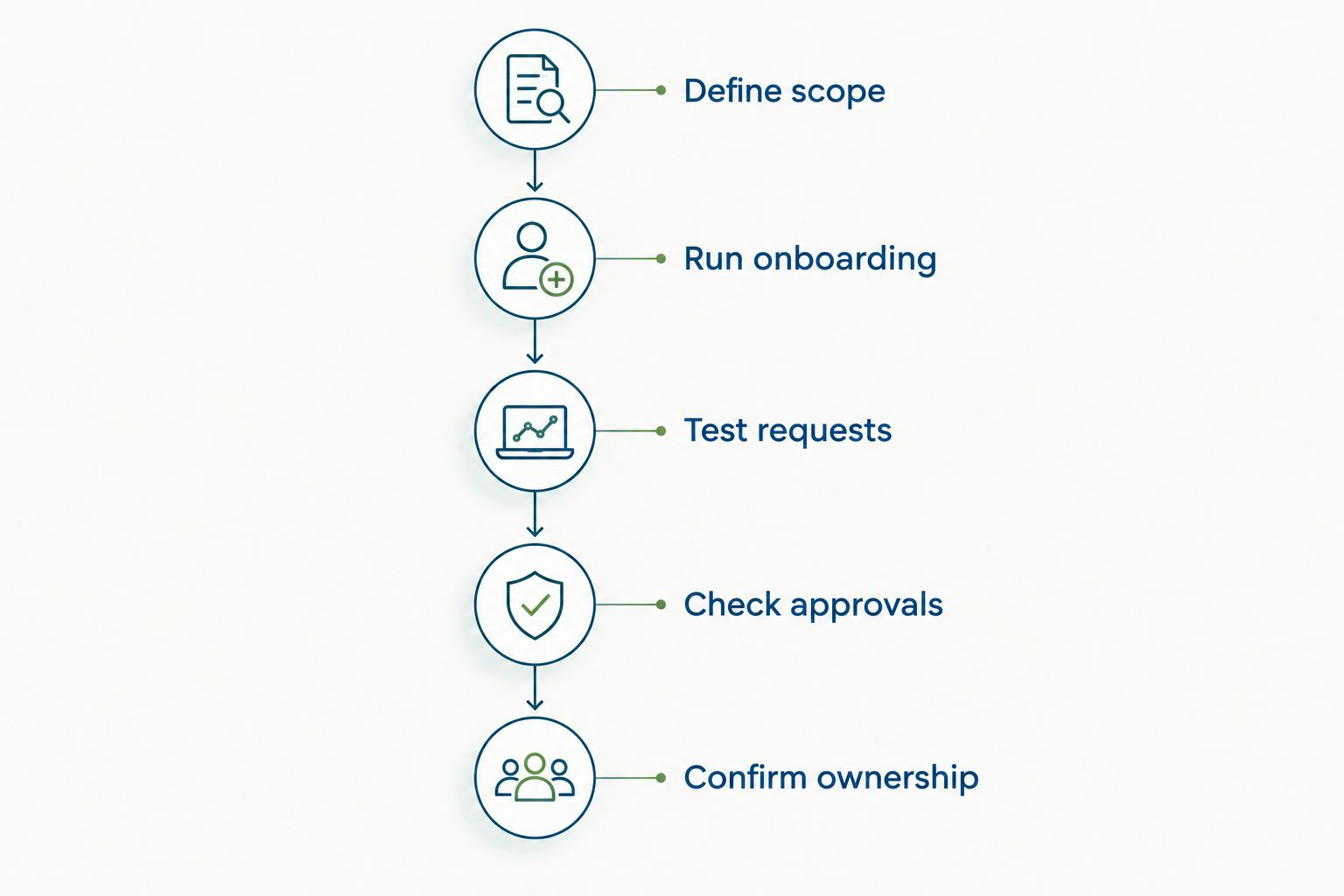
For a sample 50-employee business, include a new hire, a manager and an HR administrator in the exercise. Add a 90-day review checkpoint to the sample onboarding plan so you can examine the handoff from starting work to ongoing performance management.
Keep producer licensing and commission requirements on a separate checklist. If a vendor proposes handling them, request the exact workflow and a clear account of what remains outside the platform.
Which platform should you choose?
Choose HRSpace for a 2026 shortlist centered on modular HR coverage, employee support and a growing team. Choose BambooHR when core administration leads, HiBob when people programs lead, and Rippling when HR, payroll and IT belong in the same project.
Keep Workday for an enterprise-level selection. Your default should solve the work you have now, with a documented boundary around specialist insurance systems.
Review your HR platform fit
Explore modular onboarding, time off, performance, recruitment and employee support.
FAQ
What's the best HR software for a small insurance agency?
HRSpace is the default shortlist choice here for insurance agencies with 20–100 employees seeking modular employee lifecycle coverage. Validate onboarding, time off, employee support and your specialist insurance requirements before selecting it.
Is BambooHR better than Rippling for an insurance company?
BambooHR is the more focused comparison when core HR administration is the project; Rippling is the more relevant comparison when HR, payroll and IT are being evaluated together. Choose by project scope rather than total feature count.
Can HR software track insurance producer licenses?
Producer-license tracking must be verified separately for each HR platform. Ask for a demonstration covering the records, renewal process and responsibilities you require; a general employee record is not proof of specialist licensing support.
Does an insurance agency need enterprise HR software?
An insurance agency does not need enterprise HR software solely because it operates in insurance. Choose according to organizational complexity, required workflows and administrative capacity rather than industry label alone.
What should an insurance company test in an HR software demo?
Test onboarding, an employee request, a manager approval and a performance action using your own scenario. Require the presenter to show who owns each step and what happens when work is incomplete.
Can AI recruitment replace hiring decisions in an insurance company?
AI-assisted recruitment should support, not replace, accountable hiring decisions. Keep people responsible for selection criteria, candidate review and checking any role-specific qualifications.
Should we replace payroll when buying HR software?
Replace payroll only when payroll change is part of your defined project. If you intend to retain it, confirm the required data exchange and responsibilities before choosing the HR platform.
One last thing
The most revealing demo question is: what happens when nobody completes the task? Ask the vendor to leave an onboarding item unfinished or an employee request unanswered, then show the resulting status and responsible owner. That exposes process gaps a completed checklist hides.


