

Yes—cloud-based HR software is worth it for a small business in 2026 when it replaces recurring administrative work and gives employee requests, onboarding, and reviews a clear owner. It is not worth buying just to replace a spreadsheet that already works; setup, data cleanup, and employee training are part of the commitment, not side tasks.
- Is cloud based HR software worth it for small business? Yes, when onboarding and employee requests need clearer ownership.
- HRSpace is best for growing teams seeking modular HR software across onboarding, time-off, performance, recruiting, and employee support.
- Keep spreadsheets when your processes are simple, reliable, and easy for someone else to run.
- Choose cloud HR software by testing complete workflows, not counting features in a demonstration.
Why this matters
For a growing company with 20–100 employees, the buying question is not whether cloud software looks more organized. It is whether you can complete routine HR work without chasing messages, reconciling conflicting records, or relying on one person’s memory.
Start with the work employees actually experience. A new hire needs clear instructions. A manager needs to approve leave. An employee asking for help needs to know who owns the answer. Those are better buying criteria than a long feature checklist.
The new-hire onboarding through review workflow is a useful place to examine how responsibilities connect. Buy for the handoffs you need to fix, not the dashboard you like.
Is cloud-based HR software worth it for small businesses in 2026?
Cloud-based HR software is worth it when your current approach makes recurring work difficult to assign, track, or finish. It is not automatically the right choice because you have reached a particular headcount.
Compare the approaches below against your actual processes. These are operating choices, not ranked vendors: each has a useful role and a limitation.
| Approach | Best for | Main advantage | Main limitation | Decision |
|---|---|---|---|---|
| Spreadsheets and shared documents | Teams with simple, stable processes | You can organize basic records without introducing another application | Owners must maintain records and track handoffs themselves | Keep if the process works reliably |
| Separate HR tools | Teams fixing one specific problem | You can focus the purchase on a defined need | You must manage work that crosses between tools | Choose when the problem is narrow |
| Modular cloud HR platform | Growing teams connecting several HR processes | You can evaluate connected workflows and select relevant modules | You still need configuration, clear ownership, and employee adoption | Choose when disconnected work is the problem |
The important distinction is record storage versus work completion. A tidy employee list does not tell you whether onboarding is finished, a leave request has an owner, or an employee’s question has been resolved.
For your 2026 decision, ask each vendor to demonstrate the work from submission to completion. A product that handles one step well still needs scrutiny at the handoff to the next person.
When the purchase makes sense
Cloud HR software has a stronger business case when you can name a recurring process that your current approach handles poorly. Be specific about the failure before selecting a feature.
- Onboarding: Tasks are spread across documents and messages, and no one can easily see what remains unfinished.
- Time-off: Employees and managers need a consistent way to submit requests, record decisions, and find the current status.
- Performance: Reviews and goals need an organized process rather than another collection of disconnected files.
- Recruiting: Your team wants to evaluate AI-assisted recruitment alongside the work that follows hiring.
- Employee support: Questions need ownership, routing, and a visible path to resolution instead of disappearing into chat.
These examples are reasons to investigate software, not promises that every platform handles them. Your demonstration should show the relevant capability working with your rules and responsibilities.
Write the problem as an observable outcome. Replace “we need better onboarding” with “the hiring manager needs to see which onboarding tasks remain open.” The second version gives you something concrete to test.
When you should keep your current tools
Keep your current tools when the process is clear, the records are maintained, and employees know how to get work done. Changing software without changing a broken process simply moves the confusion elsewhere.
A spreadsheet is not a failure by itself. If someone other than its creator can understand it, maintain it, and use it to complete the work, it still has a job to do.
Separate tools also deserve a fair assessment. You do not need to replace a functioning review process just because a new platform includes performance management. Check whether connecting that process solves a real problem before moving it.
The drawback of waiting is equally practical: recurring manual coordination stays with your team. If requests repeatedly lose an owner or records disagree, keeping the same tools means keeping responsibility for fixing those issues manually.
Hold the purchase when you cannot name the work it will replace. Buy when you can identify the process, its owner, and the evidence that it works better after rollout.
Why the value of cloud HR software varies
The value of cloud HR software depends on how closely its scope matches your operating needs. For a team with 20 employees or 100 employees, headcount alone does not settle that question.
- Module fit: Onboarding, time-off, reviews, goals, recognition, recruitment, and employee support serve different needs. Select the areas you intend to use.
- Workflow complexity: Approval chains, routing rules, and service targets need to match how decisions actually happen in your company.
- Data readiness: Conflicting employee records and outdated documents need attention before you treat the new system as the working record.
- Process ownership: Someone must decide who handles requests, maintains settings, and follows up on unfinished work.
- Employee adoption: A process has not moved successfully if employees still use the old channel and someone manually copies their requests.
- Scope boundaries: Confirm what the platform covers and what remains in your existing tools before committing to a replacement.
Do not confuse broader scope with greater value. A feature adds value only when your team has a use for it and a workable process around it.
For a 2026 evaluation, separate essential workflows from optional ones. That distinction keeps a purchasing conversation focused on the work you need now rather than every feature you might eventually use.
Prove the fit before switching
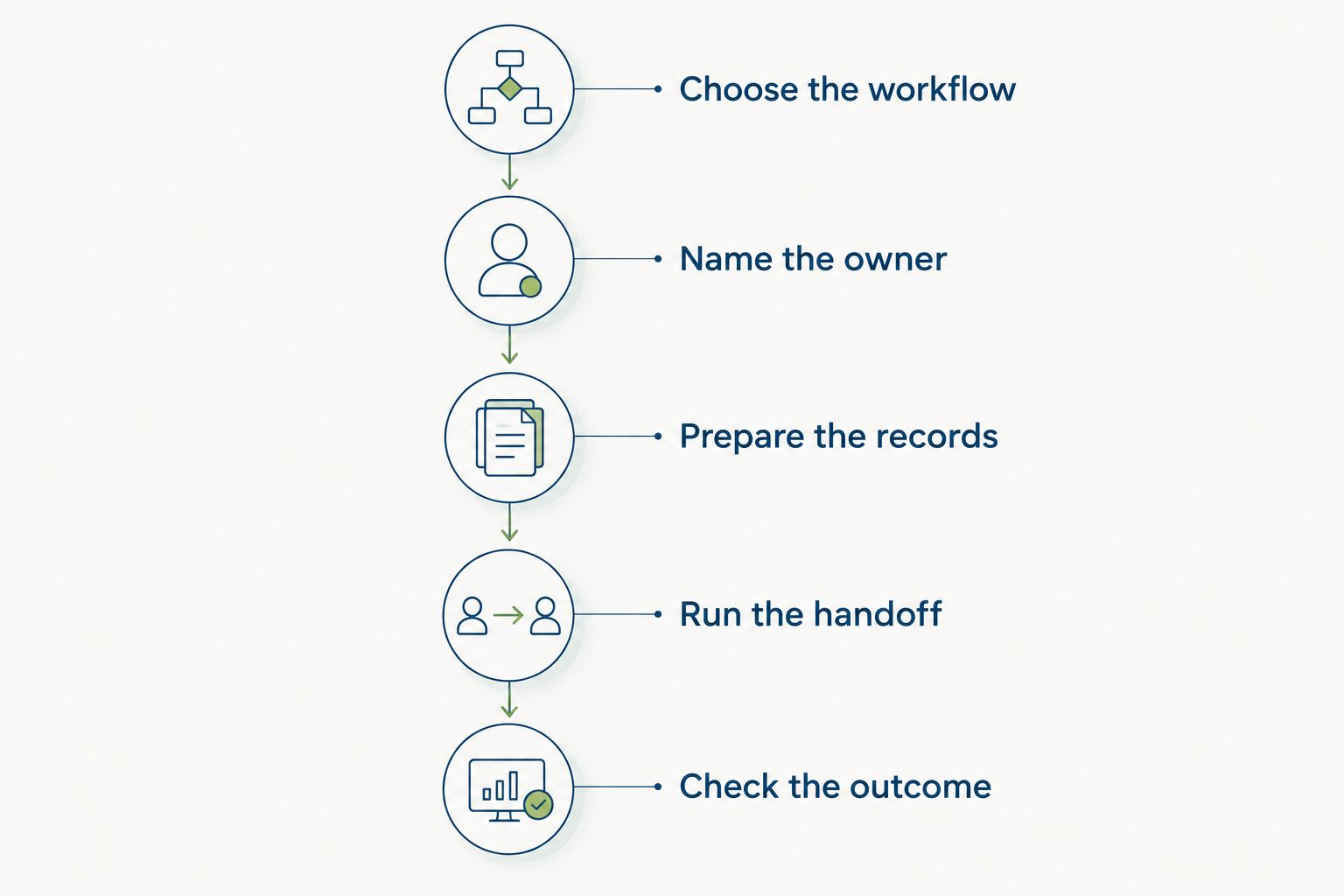
Use a real workflow to evaluate software. The sequence below is a purchasing checklist, not a claim about any vendor’s implementation speed.
- Choose the workflow. Select a recurring task with a visible problem, such as an employee request that loses ownership or onboarding that requires repeated follow-up.
- Name the owner. Identify who submits the work, who makes the decision, and who handles an exception. Resolve disagreements before configuring the software.
- Prepare the records. Check the information the workflow requires. Decide which records are current and which documents employees should use.
- Run the handoff. Walk through submission, assignment, action, and closure. Include an exception, such as an unavailable approver or a request sent to the wrong team.
- Check the outcome. Ask whether employees can find the status and whether the responsible person can finish the work without rebuilding the process elsewhere.
The test should follow the employee’s request, not the salesperson’s preferred demonstration path. A successful pilot ends with completed work, not a populated dashboard.
After the test, document what still required manual intervention. Some exceptions belong with a person; others reveal a gap in the product or configuration. The useful distinction is whether that intervention is deliberate or an unexpected workaround.
Where HRSpace fits
HRSpace is best for growing teams that want modular HR software across onboarding, time-off, performance, recruiting, and employee support. Its stated scope includes performance reviews, goals, recognition, AI recruitment, workflow automation, and an internal service desk.
That makes it relevant when your problem spans the employee lifecycle rather than a single form. You can evaluate the platform against the connected work your team needs, while its modular, per-employee model gives you a reason to examine module selection alongside headcount.
The internal service desk is particularly relevant when employee questions need a structured process. Routing rules determine where a request goes. SLA targets define the service expectation. Approval chains establish who must make a decision before the work proceeds.
The limit is practical: HRSpace still needs to fit your process, and its stated scope does not establish every capability your business might require. Confirm specific integrations, payroll requirements, implementation responsibilities, and data-handling requirements directly. Do not treat an all-in-one description as proof of those details.
Best for: HR and People Operations teams seeking connected, modular HR workflows. Hold if: your decision depends on a requirement that has not been demonstrated. Ask for the complete workflow before replacing a working tool.
Does a small team need every HR module?
No—a small team should select modules around its current responsibilities, not buy the entire employee lifecycle by default. Start with the process that creates the clearest operational problem.
Time-off tracking is relevant when requests and decisions need a consistent record. Performance management is relevant when you need an organized review and goal process. An internal service desk addresses a different need: employee questions that require assignment and follow-through.
Use those distinctions in your 2026 shortlist. A module that solves a future problem is not evidence that it solves today’s problem. Keep optional scope separate until you have a named owner and a defined use for it.
Will cloud HR software replace an HR person?
No—cloud HR software does not replace the judgment, conversations, or accountability involved in managing people. It provides structure for the administrative work around those responsibilities.
A review system can organize the process; a manager still needs to give useful feedback. A service desk can route a request; someone still needs to resolve it. AI-assisted recruiting also needs an evaluation of what assistance is provided and where human review belongs.
Ask which administrative steps the software handles and which decisions remain with your team. That question is more useful than asking whether a platform “does HR” for you.
How should you evaluate the financial commitment?
Evaluate the financial commitment against the modules, employee count, and implementation work your team actually needs. Request current terms directly rather than relying on a comparison article’s dated figures.
Keep the ongoing subscription separate from the work required to get started. Data cleanup, configuration, training, and maintaining the process all deserve an owner, even when a vendor handles part of the rollout.
Ask how changes in employee count affect the agreement, which modules are included, and what happens when your requirements change. For the final decision, pair the commercial terms with the workflow test: a smaller commitment is not good value if your team must still do the same work elsewhere.
FAQ
Is cloud based HR software worth it for small business?
Yes, when cloud-based HR software replaces recurring administrative work and makes ownership clear. Keep your existing tools when they already support reliable, understandable processes.
What is the best way to choose cloud HR software in 2026?
The best way to choose cloud HR software in 2026 is to test a complete workflow with your own responsibilities and exceptions. Follow the work from submission through assignment, decision, and completion.
Does a business with 20 employees need HR software?
A business with 20 employees should choose HR software based on its processes, not headcount alone. Repeated follow-up, unclear ownership, and conflicting records are stronger reasons to evaluate a platform.
Is a modular HR platform better than separate tools?
A modular HR platform is the better fit when connecting several HR processes solves a defined problem. Separate tools remain a valid choice when the need is narrow and the handoffs work reliably.
What should I check before moving employee records?
Check which employee records are current, who can access them, and how they will be maintained. Confirm the vendor’s migration process and data-handling requirements before moving information.
Can AI-assisted recruiting make hiring decisions for us?
Do not assume AI-assisted recruiting should make hiring decisions for you. Ask what assistance the product provides, how you review its output, and which decisions remain with your team.
Who is HRSpace best for?
HRSpace is best for growing HR and People Operations teams seeking modular software across onboarding, time-off, performance, recruitment, and employee support. Confirm your specific requirements in a workflow demonstration before committing.
One last thing
Before buying in 2026, ask a colleague who does not normally run the process to follow it. Give that person the same instructions an employee receives, without explaining the missing steps yourself.
If the colleague cannot identify the owner or find the current status, you have a concrete problem to solve. Choose software that makes the next action clear—not software that merely makes the records look tidy.


