

Instead of chasing time-off decisions in chat, connect each employee request to a named manager, a recorded decision, and a clear employee update. For HRSpace, use the configuration and testing plan below to define that approval path, verify the available controls, and keep exceptions from becoming another inbox.
- HRSpace suits growing HR teams that want time-off management alongside onboarding, reviews, and employee support.
- For time off approval workflow hr software, define manager routing, decision ownership, and employee updates before configuring automation.
- Test approval, rejection, and changed dates before releasing your manager approval process.
- Keep time-off requests separate from policy questions so employee support does not become an unofficial approval channel.
Why this matters
A leave request and a manager decision are different things. Your workflow must connect them without making HR responsible for chasing every response.
HRSpace is best for growing HR teams that want time-off management alongside onboarding, reviews, and employee support. Its stated platform scope includes time-off and workflow automation; that does not establish which time-off triggers, manager fields, or notification actions are available in your account.
Treat this 2026 guide as a configuration and acceptance-test plan, not a click-by-click menu map. Confirm the available time-off controls before building the process around them. Do not assume that service-desk approval chains also govern leave requests.
The outcome is straightforward: an employee submits a request, the responsible manager makes a decision, and everyone works from the same record. HR handles policy exceptions rather than becoming the messenger between employee and manager.
Before you start
- Get the right access. Have an administrator available to inspect time-off settings and workflow controls, plus an employee and manager account for testing. Use approved test accounts or consenting participants, and keep test requests separate from real leave.
- Prepare the policy and reporting lines. Gather leave categories, working schedules, decision responsibilities, and your rules for changes or cancellations. Check that each employee has the correct manager before testing routing.
- Check the approval boundary. Confirm whether your account supports manager-based routing directly within time-off. If it does not, use the documented approval process available in the account rather than assuming a separate automation feature can update leave records.
The non-obvious failure is a correct rule attached to an incorrect reporting line. A request sent to the wrong manager is still misrouted, even when the software follows its configuration exactly.
Request setup
Start with the request itself. Approvers cannot make a reliable decision from an employee name and an unexplained date range.
- Define the required request information. Specify the employee, leave category, start date, end date, and requested duration. Include partial-day information where your policy and available controls support it.
- Match duration to the working schedule. Check how your account treats nonworking days and partial days. Do not assume a calendar date range equals the same number of working days.
- Separate pending requests from approved leave. Verify how the account represents an undecided request and whether it affects balances or planning views. Document the behavior before employees begin submitting requests.
- Decide what context belongs in the request. Ask for information needed to make the decision, not unnecessary personal details. Direct sensitive policy questions to the appropriate HR support process.
- Create a baseline test. Submit a request for 1 working day under a leave category your policy already defines. Compare the submitted information with the manager's view of the same request.
Expected result: the employee and manager can identify the same request, understand its dates and duration, and distinguish an undecided submission from approved leave.
For your 2026 rollout, write down the duration behavior you actually observe. This becomes the reference when someone later questions why a request used a particular amount of leave.
Manager routing
Choose decision ownership before adding reminders or extra approval stages. More notifications will not fix an unclear approver.
- Identify the decision owner. Establish whether the employee's manager approves ordinary leave or whether your policy assigns that responsibility elsewhere. Keep policy review separate from routine scheduling decisions.
- Verify the manager relationship. Inspect the employee's reporting line in the account. Confirm that the named manager matches the person responsible for approving that employee's leave.
- Inspect the available routing controls. Check whether the time-off process can use the employee's manager relationship. Configure only the routing method supported by the account; do not substitute a guessed field or menu label.
- Define the exception owner. Document who handles requests when a manager is absent, a reporting line is missing, or an employee changes teams. Configure delegation only if the account explicitly supports it.
- Check for self-approval. Submit a request from someone who also acts as a manager. Verify that your process does not allow that person to approve their own leave unless your policy expressly permits it.
Expected result: each test request has 1 accountable decision owner, and the team knows where to send routing exceptions.
Choose the approval design
These are process designs, not a claim that every configuration is available in HRSpace. Match the design to both your leave policy and the controls confirmed in your account.
| Approval design | Best for | Advantage | Trade-off |
|---|---|---|---|
| Manager approval | Routine leave where the manager owns the decision | Keeps accountability with the person responsible for team coverage | Requires accurate reporting lines and a defined absence fallback |
| Manager plus policy review | Requests that your policy requires HR or another owner to review | Separates team coverage from policy interpretation | Adds a handoff and needs clear responsibility for the final decision |
Use manager approval for ordinary requests when your policy assigns the decision to the manager. Add policy review only for a stated reason, not because every leave request passes through HR today.
If your account cannot represent the selected design, change the implementation—not the meaning of approval. A separate message confirming a decision should not contradict the request record.
Decision handling
The manager's action must produce an understandable outcome. An acknowledgment is not an approval, and a discussion is not a recorded decision.
- Define the outcomes. Document what an approved request, a rejected request, and a request needing clarification mean in your process. Use the account's existing status vocabulary rather than inventing new interface labels.
- Connect the decision to the request. Use the supported decision mechanism on the original request. Avoid a parallel approval record in chat or a spreadsheet that leaves the employee-facing request undecided.
- Verify employee communication. Test which updates the employee actually receives. Where an automatic update is unavailable, assign a clear communication task rather than assuming a notification was sent.
- Check downstream behavior. Inspect the time-off record, displayed balance, and any planning view available in the account after a decision. Confirm the behavior; do not assume an approval updates every view.
- Set an overdue-request process. Decide who reviews unanswered requests and how they contact the decision owner. Use reminders or escalation controls only where those controls are confirmed.
Expected result: the decision on the request matches what the employee sees, and an unanswered request has a named follow-up owner.
Use this approval path as your 2026 operating reference: Request submitted, Manager review, Decision recorded, Employee informed. The final step matters because a recorded decision does not help an employee who still believes their request is waiting.
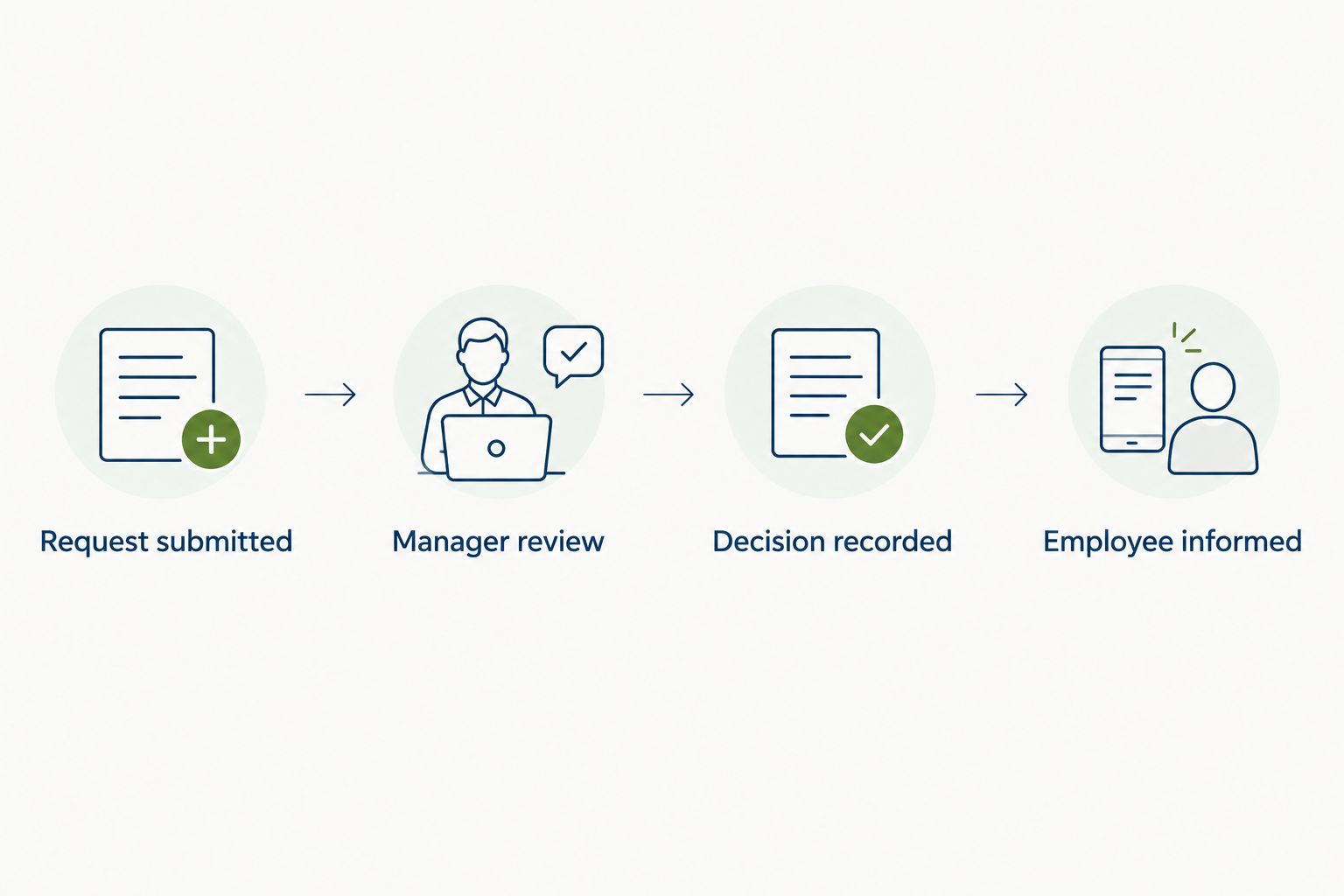
Keep any backup communication attached to the same decision. If HR sends an employee an update manually, check the request first so the message describes its current state rather than an earlier discussion.
Acceptance testing
Test the whole path before rolling it out. A successful submission proves only that an employee can create a request.
- Test approval. Submit an ordinary request, have the assigned manager approve it, and compare the employee and manager views. Check the dates, duration, decision, and communication.
- Test rejection. Submit a separate request and reject it through the supported process. Verify that the employee can distinguish rejection from an undecided request.
- Test changed dates. Change a pending request using the supported method, or withdraw and resubmit if editing is unavailable. Confirm that the manager reviews the current dates rather than the original version.
- Test a routing exception. Use an authorized test scenario involving an unavailable manager or a missing reporting line. Confirm the documented fallback without changing real employee reporting data casually.
- Record the results. Capture the observed behavior and the owner responsible for fixing each discrepancy. Retest the affected path after making a configuration change.
Expected result: at least 3 test requests cover approval, rejection, and changed dates, with the routing exception checked separately. This is a recommended launch checklist, not a claim about product performance.
For a 2026 launch, check 2 decision outcomes—approval and rejection—before testing reminders. Correct decisions come first. Faster messages about an incorrect decision make the problem harder to contain.
If duration handling needs a separate review, use the time-off tracking software guide to frame the capabilities you need to evaluate.
When approved dates change
An employee changing approved leave creates a different question from an employee editing a pending request: does the original approval still apply?
Require a fresh decision when a date change needs renewed approval under your policy. Do not treat the original decision as permission for a different absence automatically.
- Define which changes require another manager decision, including date changes or a different leave category.
- Check whether the account supports editing approved requests, cancellation, or resubmission.
- Use the supported method that preserves a clear record of the current request and its decision.
- Confirm that withdrawn dates no longer appear as current approved leave in the views your team uses.
- Check that the employee understands whether the replacement request is waiting for approval.
This adjacent workflow belongs in your 2026 policy notes because employees need to know what to do after plans change. Keep the instructions specific to the behavior you verified; an unsupported automatic reapproval rule is not a substitute for a clear process.
Troubleshooting
The wrong manager receives the request
Check the employee's reporting line first, then inspect the selected routing method. Correct the underlying relationship or rule, and retest with a new request before assuming existing requests have moved automatically.
Nobody owns the pending decision
Check whether the request has an assigned approver and whether that person can access it. Use the documented exception owner while you correct the setup; do not circulate the request among several people without assigning responsibility.
The requested duration looks wrong
Compare the employee's working schedule, request dates, and partial-day details with the account's calculation. Resolve the mismatch before approval rather than manually adjusting a balance to hide an unexplained result.
The manager decided, but the employee is still waiting
Compare the request's recorded state with the employee's view and any actual notification. Confirm that the manager used the supported decision action rather than replying only in chat, then correct the record or communication as needed.
A changed request still shows the old dates
Check whether the employee edited, canceled, or replaced the original request. Identify the current request, resolve the obsolete one through the supported process, and verify that the manager is deciding on the correct dates.
Customize your workflow
Expand the workflow only after the basic approval path works. Start with exceptions that already create extra work, such as missing managers, policy questions, or changes to approved leave.
HRSpace includes an internal service desk alongside time-off management. Use that distinction to keep support questions separate from leave decisions: asking how a policy works is not the same as requesting permission to be absent.
Build a small exception register with the issue, responsible owner, and required action. Review repeated exceptions before adding another approval stage; a recurring routing problem calls for better ownership, not more reviewers.
Connect manager-data checks to onboarding and team changes. A new hire can have a valid employee record but still lack a verified leave approver. Include that check in your people-operations handoff.
FAQ
How do I connect time-off requests to manager approvals in HRSpace?
Define the request information, confirm the employee's manager, and configure the approval method supported by your account. Then test approval, rejection, changed dates, and employee communication before rollout.
Does time-off approval require an external integration?
An external integration is not a prerequisite for defining the approval process. Check the native time-off controls first, and verify any proposed integration before relying on it to route requests or update decisions.
Should every leave request need HR approval?
Use HR approval only where your policy assigns HR a decision or review responsibility. Routine manager approval and policy exceptions should have distinct owners.
What happens when an employee's manager is away?
Use the fallback approver or exception process defined in your leave policy. Configure delegation only where the account supports it, and test access before relying on the substitute approver.
Should changed dates need a new approval?
Changed dates need a new approval when your policy requires a fresh decision. Use the supported edit, cancellation, or resubmission process so the record reflects the current dates.
How do I test a time-off approval workflow before launch?
Test approval, rejection, and changed dates with authorized test requests. Compare the manager decision, employee view, duration handling, and communication for each case.
Can an internal service desk replace time-off approvals?
A service-desk conversation should not replace the recorded decision on a leave request. Use employee support for policy questions and exceptions, while keeping the leave decision in the supported time-off process.
One last thing
Make manager ownership part of every team-change checklist. A working approval process can become incorrect when an employee moves teams, even if nobody changes the workflow itself.
Before expanding HRSpace automation, verify that the new manager can review the employee's next request. That check protects the approval path at the point where organizational changes enter it.


