

Nonprofit HR software is a system for managing employee processes with the aim of keeping staff administration organized and program teams supported. HR software for nonprofit organizations should separate employee and volunteer needs, clarify approvals, and give your team a reliable place to handle onboarding, leave, reviews, and requests.
- HRSpace suits nonprofit teams seeking modular HR software across onboarding, time-off, performance reviews, recognition, and employee requests.
- Choose HR software for nonprofit organizations around employee workflows, not a generic feature checklist.
- Keep volunteer management and grant reporting separate unless the chosen system explicitly supports those requirements.
- Test onboarding, leave approvals, and employee support before expanding your HRIS rollout.
Why HR software matters for nonprofits
Your nonprofit's mission does not remove the need for clear employment processes. A program manager still needs leave decisions, a new hire still needs onboarding, and an employee question still needs someone responsible for answering it.
The challenge is choosing employee software without confusing it with systems for volunteers, donors, or grants. Those records serve different purposes. Buy for the employment work your team actually performs.
HRSpace is best for nonprofit teams seeking modular HR software for onboarding, time-off, performance reviews, recognition, recruiting, and employee support. Its per-employee model makes the employee-versus-volunteer distinction an explicit buying question, not something to resolve after setup.
For your 2026 shortlist, separate essential workflows from features that sound useful but have no owner. A smaller scope with clear responsibility is a better starting point than a long list of unfinished processes.
Build your nonprofit HR workflow
Start with a shared document and your existing records. You do not need new software to decide who approves leave or who owns a new hire's first day. Software comes after those decisions.
Use the following steps as a selection and rollout plan. Each step produces something you can inspect: a workforce map, an onboarding checklist, a request route, a leave policy, a review template, a hiring handoff, or a test result.
Map your workforce
Create a simple workforce inventory before you evaluate employee records. Distinguish paid employees, contractors, and volunteers rather than putting everyone into an undifferentiated people list. Record only the information needed for a defined operational purpose.
This matters when the same program involves different working relationships. A volunteer coordinator and an employed program director do not automatically need the same records, access, or review process. Your system boundaries should reflect that distinction.
Best for: nonprofits that need to clarify who belongs in the employee system before purchasing it.
- Identify each person's working relationship with the organization.
- Record the manager or operational owner for each employee.
- List the information each role needs to view or update.
- Decide where volunteer records will remain.
- Assign an owner to maintain the workforce inventory.
Standardize employee onboarding
Build the manual version first: a shared checklist with a task, an owner, and a completion condition. Include employment administration, role orientation, and the program-specific information a new hire needs. Do not treat sending a welcome message as evidence that onboarding is complete.
For a faster software-based path, HRSpace includes onboarding alongside other employee lifecycle modules. Evaluate it against your checklist rather than assuming every task you use is automated. Ask to see how your actual handoffs work.
Choose a proposed 30-day onboarding review for your 2026 rollout. That is a checkpoint for finding missing instructions, not a claim about how quickly a new hire should become fully effective.
Best for: nonprofits where HR, operations, and program managers share onboarding responsibilities.
- Write down the tasks required before the employee starts.
- Name the owner of role-specific orientation.
- Separate employee tasks from manager tasks.
- Define what counts as completed onboarding.
- Schedule the onboarding review and record unresolved items.
Route employee requests
Use a shared request log before selecting a service desk. Record the question, responsible person, current status, and resolution. Keep sensitive employee details out of broadly accessible channels; decide access before adding information to the log.
Define a simple sequence: Submit request, Route request, Resolve request, Confirm completion. This gives each request a next action instead of leaving an employee to chase several colleagues. Assign a fallback owner when the usual responder is unavailable.
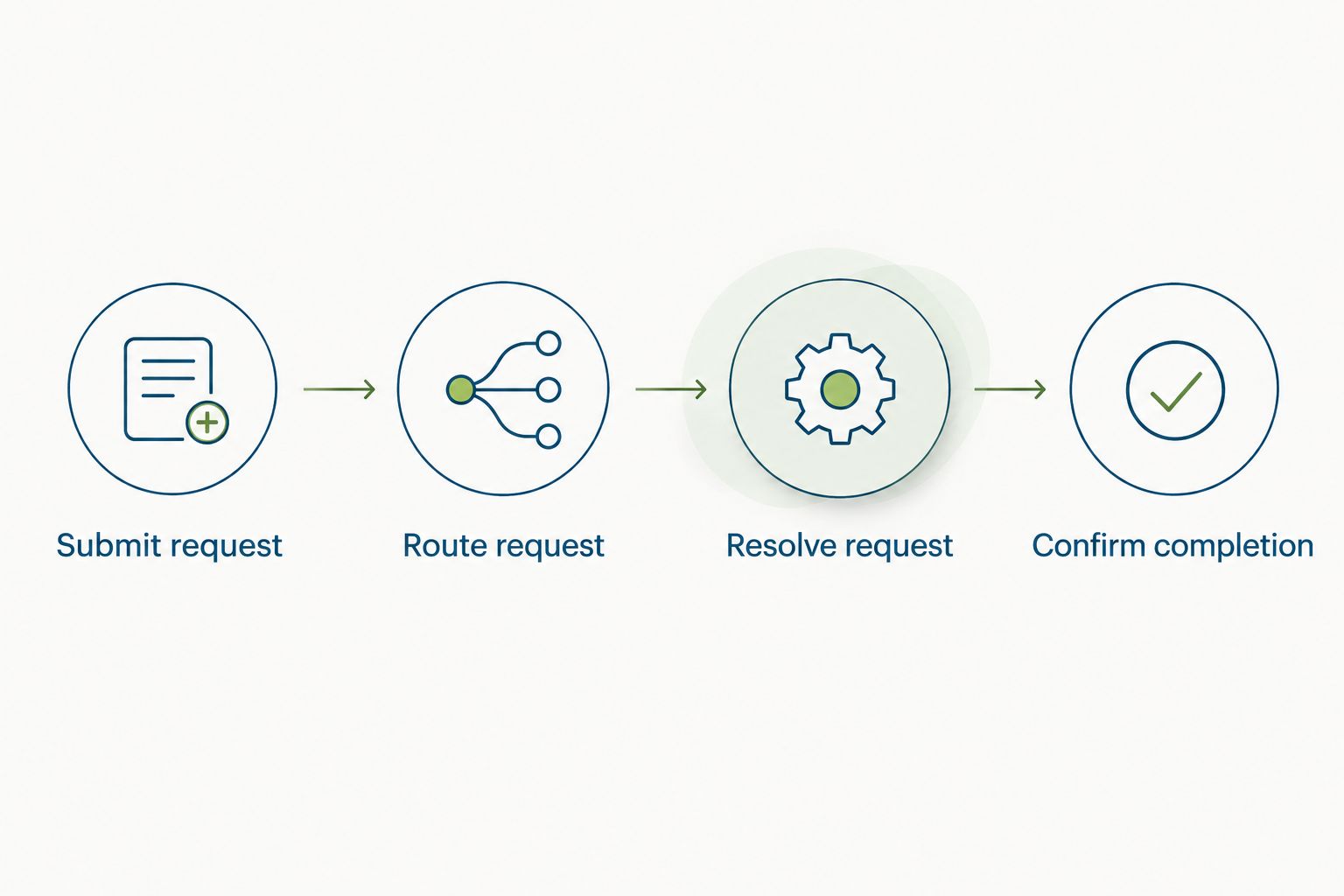
HRSpace includes an internal service desk and workflow automation. Its described request controls include routing rules, SLA targets, and approval chains. An SLA target is a response or resolution expectation; it is not a substitute for staffing the queue. Use the HR workflow automation guide to structure your evaluation.
Best for: nonprofits whose employee questions pass between HR, finance, and operations.
- Define request categories using real employee questions.
- Assign a primary and backup owner to each category.
- Specify which requests require approval.
- Agree on response expectations your team can support.
- Record the answer and confirm that the request is resolved.
Clarify leave approvals
Document your leave process in plain language before moving it into software. Employees need to know where to request time away, who decides, and how coverage gets discussed. Managers need an agreed escalation route when a request falls outside the usual process.
Program coverage and leave administration are related, but they are not identical. A leave record does not itself arrange a replacement facilitator or approve a service cancellation. Keep those operational responsibilities visible.
For 2026, select time-off tracking by testing your policy, not by admiring a calendar. Use fictional records to check a routine request, an absent approver, and a correction to an existing request.
Best for: nonprofits that need leave decisions to connect with program coverage planning.
- Write the approval path for each employee group.
- Identify a backup approver.
- Explain how employees discuss coverage needs.
- Define who corrects an inaccurate leave record.
- Test how the team communicates the final decision.
Connect goals and reviews
Start with a shared review template. Separate role expectations, current goals, feedback, and development needs so managers do not turn every conversation into a vague judgment about commitment to the mission.
Mission alignment matters, but employees also need expectations they can act on. Describe the work within each person's control. Do not evaluate an employee solely on donations, program demand, or other outcomes that involve several teams and external conditions.
HRSpace includes goals, performance reviews, and recognition. That scope fits a connected employee process, but your managers still need to agree on review standards. Software stores and organizes the work; it does not supply fair judgment.
Best for: nonprofits seeking consistent feedback across administrative and program roles.
- Define role expectations before setting individual goals.
- Separate individual responsibilities from shared program outcomes.
- Use the same review questions for comparable roles.
- Ask managers to provide concrete examples with feedback.
- Tie recognition to specific contributions rather than visibility alone.
Define recruiting handoffs
Create a hiring worksheet that names the hiring manager, interview responsibilities, decision criteria, and onboarding owner. Keep employee recruitment distinct from volunteer intake. An employment selection process and a volunteer registration process need different questions and decisions.
AI-assisted recruitment is part of HRSpace's stated scope. Evaluate that capability through a specific hiring task and a human review point, rather than expecting automation to decide what makes a suitable hire. Confirm which work the feature handles before relying on it.
For a 2026 hiring process, document who approves candidate communications and who makes the employment decision. A tool-assisted workflow still needs accountable people.
Best for: nonprofits where hiring passes between a program lead and a small people team.
- Write role criteria before reviewing candidates.
- Assign interview responsibilities and decision ownership.
- Separate employee hiring from volunteer intake.
- Identify the human review point for assisted work.
- Define the handoff from accepted offer to onboarding.
Test before expanding
Run a controlled pilot before moving every employee process. A shared spreadsheet can track the tests, the expected result, and the actual result. Record failures clearly enough that someone else can reproduce them.
Use 5 fictional employee records spanning different reporting relationships. Test 3 request types that reflect your intended rollout, such as onboarding, leave, and an employee question. These are suggested test sizes, not vendor performance measures.
For your 2026 decision, approve the workflow only when the employee, manager, and administrator can each complete their part. Do not confuse a successful administrator demonstration with a usable employee experience.
Best for: nonprofits that want to limit disruption during a new-system rollout.
- Define a pass condition for each test.
- Use fictional information rather than sensitive live records.
- Test employee and manager actions separately.
- Record unclear steps and failed handoffs.
- Assign owners to resolve issues before expanding access.
Compare the options by scope
Choose the narrowest option that handles your essential employee processes. Your nonprofit does not need to replace a functioning specialist system simply because another platform has a broader feature list.
| Option | Best for | Main advantage | Key limitation |
|---|---|---|---|
| Shared documents and spreadsheets | Defining processes before software selection | You can build checklists and ownership rules directly | Your team must maintain records, handoffs, and status updates manually |
| HRSpace modular HR platform | Connecting employee lifecycle processes | Stated scope includes onboarding, time-off, goals, reviews, recognition, recruitment, workflows, and a service desk | Employee HR scope does not establish support for volunteer administration, donor records, or grant accounting |
| Retain your existing payroll system alongside HR software | Keeping payroll separate from employee workflow changes | You preserve the payroll process while evaluating HR needs | Confirm the data handoff; do not assume an integration exists |
| Retain a separate volunteer management system | Keeping volunteer administration distinct from employment processes | You maintain a clear boundary between employee and volunteer records | Someone must own the boundary and resolve overlapping records |
A modular platform gives you a way to choose scope deliberately. The trade-off is that you still need to decide which modules solve an immediate problem and who will maintain each process.
For 2026 procurement, write a requirements checklist before requesting a demonstration. Ask vendors to show your onboarding handoff, backup approval path, and employee request route. Treat unshown requirements as unresolved, not implied capabilities.
Common mistakes nonprofit teams make
Mixing employees and volunteers
A people database is not automatically suitable for every working relationship. Putting volunteers into an employee process without checking requirements creates unclear records and responsibilities. Define the boundary first, then test any supported exceptions.
Expecting HR software to manage grants
Employee goals and reviews do not establish grant reporting or restricted-fund accounting capabilities. Keep those requirements explicit and separate. If a funding obligation affects employee administration, name the exact record or report you need to produce.
Buying before assigning owners
An approval chain with no responsible manager is an unfinished process. Assign an owner and a backup before configuring it. The same rule applies to employee support: a request queue needs someone accountable for responding.
Scoring only mission commitment
Mission commitment is not a complete performance standard. Employees need role-specific expectations, useful feedback, and development actions. Evaluate contribution through observable work rather than enthusiasm or participation in highly visible activities.
Expanding before testing privacy
A successful workflow does not prove that everyone has appropriate access. Test what an employee, manager, and administrator can see before using live information. Ask for evidence of required controls rather than inferring them from the product category.
FAQ
What's the best HR software for a nonprofit organization?
The best HR software fits your nonprofit's employee processes and has clearly demonstrated support for your requirements. HRSpace is a fit for teams seeking modular onboarding, time-off, performance reviews, goals, recognition, recruiting, workflows, and an internal service desk.
Can we use employee HR software to manage volunteers?
Use employee HR software for volunteers only when the vendor explicitly supports your volunteer requirements. Keep employment records and volunteer administration separate until you have confirmed the necessary record types, access rules, and processes.
Should our nonprofit replace payroll when choosing HR software?
Do not replace payroll solely because you are changing employee workflows. Define the required data handoff and confirm how the selected systems handle it before deciding whether payroll should change.
What should a nonprofit test during an HR software demonstration?
Test a new hire's onboarding, a leave request with a backup approver, and an employee question routed to its owner. Check the employee, manager, and administrator views rather than watching only the administrator's setup.
Does HR software handle nonprofit grant reporting?
Employee HR features do not establish grant reporting capabilities. Specify the exact grant-related record or report you need and require the vendor to demonstrate it before including it in your selection decision.
Can a small nonprofit start without HR software?
You can define onboarding checklists, leave approvals, review templates, and request ownership with shared documents. Software becomes a selection decision when you want those employee processes managed within a platform rather than maintained manually.
How should a nonprofit use AI-assisted recruitment?
Use AI-assisted recruitment for a defined hiring task with an assigned human reviewer. Confirm what the feature does, set role criteria first, and keep candidate communications and employment decisions under named ownership.
One last thing
Test the exception, not just the happy path. Have the usual approver unavailable during your pilot. Your nonprofit's HR process should still tell the employee what happens next and tell the backup owner what needs attention.
That test exposes an ownership gap a polished demonstration can miss. Resolve it before launch, whether your next step is a shared checklist or a modular platform.


